Slide 1 of 2 from 4-Step Unbalanced Scale PowerPoint Template
4 Steps Measuring Scale PowerPoint
4-Step Unbalanced Scale PowerPoint Diagram
- Diagram
- Process Flow
- Process Slide
- 16:9
- 100% Editable
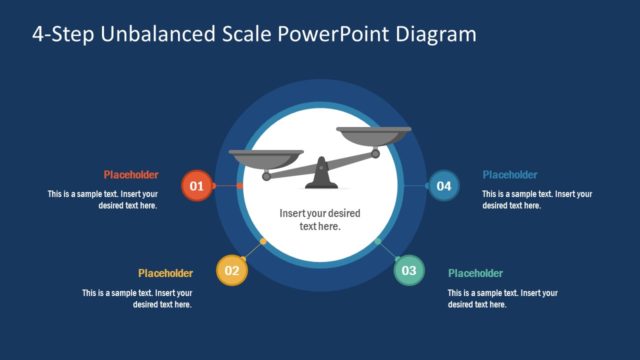
The 4-Step Unbalanced Scale Diagram slide from the 4-Step Unbalanced Scale PowerPoint Template offers a clear visual process flow ideal for business presentations. This slide layout uses colorful, numbered nodes around a central scale to illustrate step-by-step analysis or option comparison. It is designed for use in corporate presentations and pitch decks requiring an effective way to display process sequences or project overviews with editable shapes and vector icons.
What’s on This Slide
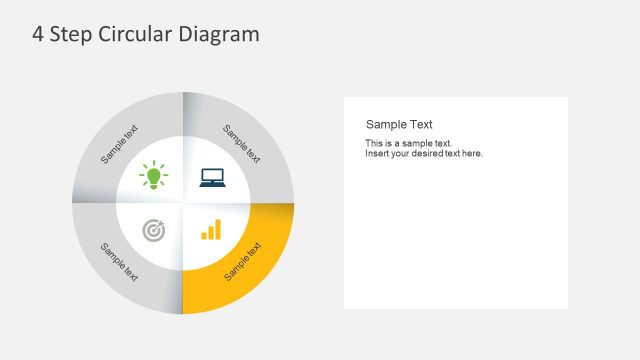
The layout features a central unbalanced scale with four circular nodes positioned around it. Each node is labeled with a number from one to four, indicating a sequence. The nodes are colored differently: orange, yellow, green, and blue, creating a clear visual distinction. Text placeholders are present within each node, aligned centrally, and below each number. The scale is depicted at the center, with a horizontal bar connecting to the nodes. The background is white, providing contrast to the colorful elements and enhancing visibility.
How to Use It
This layout serves as a process flow diagram, illustrating a four-step sequence. It is suitable for presentations that require a clear comparison or measurement of steps, such as profit and loss analysis or project stages. This structure fits well after an introduction slide and before detailed content, helping to summarize key points. It can be used in business contexts to outline processes, strategies, or evaluations that involve weighing different factors or options.
Text Placeholders & Capacity
Keep your copy within these limits so it fits without resizing. Node body slots can hold roughly 8-10 words each.
| Placeholder | Count | Max characters (approx.) |
|---|---|---|
| Item heading | 4 | 20 |
| Item body | 4 | 50 |
Slide Keywords
Download unlimited PowerPoint templates, charts and graphics for your presentations with our annual plan.
DOWNLOADReturn to 4-Step Unbalanced Scale PowerPoint Template.