Slide 2 of 5 from 4 Level Vertical Ladder PowerPoint Diagram
First Level Highlight Slide for Ladder Diagram Template
4-Level Ladder PowerPoint Diagram
- Diagram
- Ladder
- Process Slide
- 16:9
- 100% Editable
The 4-Level Ladder Diagram slide from the 4 Level Vertical Ladder PowerPoint Diagram template offers a clear visual structure for presenting stepwise processes or project stages. This slide layout uses editable shapes and vector icons to highlight each level, making it suitable for business presentations or training modules that require a precise explanation of sequential steps. Its design supports the effective communication of complex information within a corporate presentation or pitch deck template.
What’s on This Slide
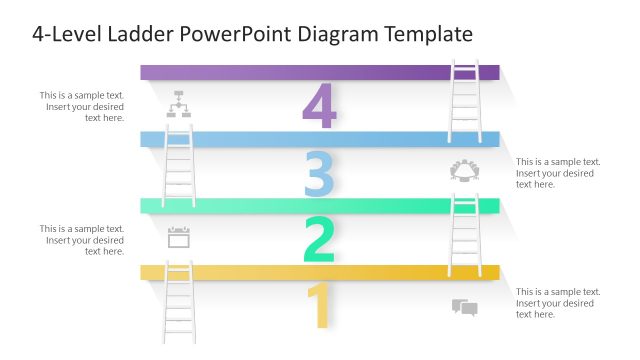
The layout features a vertical ladder diagram divided into four levels, each represented by a horizontal bar. The first level is highlighted in yellow, while the others are in shades of gray. Each level has a corresponding number from one to four, positioned centrally within the bars. Icons are placed adjacent to some numbers, and there are text placeholders aligned to the right of each level, allowing for additional descriptions. The overall composition is structured and clear, with a neutral background that emphasizes the ladder design.
How to Use It
This layout serves as a stepwise progression diagram, ideal for illustrating processes or stages. It fits well in a presentation sequence after introducing a problem or concept, guiding the audience through a structured approach. Suitable scenarios include project management, training modules, or strategic planning, where clarity in steps is essential. This format helps convey complex information in an easily digestible manner, making it effective for both internal and external communications.
Text Placeholders & Capacity
Keep your copy within these limits so it fits without resizing. Node body slots can hold roughly 10 words each, while body paragraphs are tight at about 8 words each.
| Placeholder | Count | Max characters (approx.) |
|---|---|---|
| Item heading | 4 | 1 |
| Item body | 4 | 50 |
| Body paragraph | 4 | 50 |
Slide Keywords
Download unlimited PowerPoint templates, charts and graphics for your presentations with our annual plan.
DOWNLOADReturn to 4 Level Vertical Ladder PowerPoint Diagram.