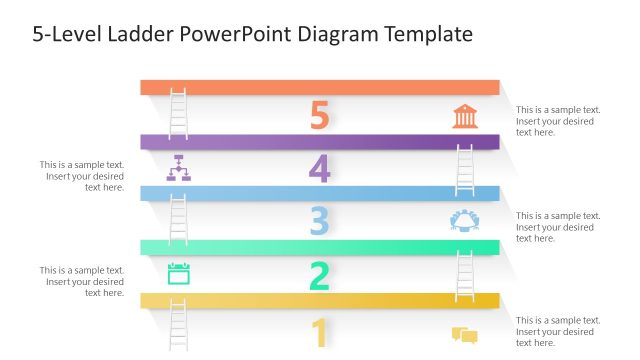
Slide 1 of 5 from 4 Level Vertical Ladder PowerPoint Diagram
4-Level Ladder PowerPoint Diagram Template for PPT
4-Level Ladder Diagram for Presentations
- Diagram
- Ladder
- Process Slide
- 16:9
- 100% Editable
The 4-Level Ladder Diagram slide from the 4 Level Vertical Ladder PowerPoint Diagram template offers a clear visual process representation using editable shapes and vector icons. This slide layout is ideal for illustrating project stages or step-by-step guides within business presentations and pitch decks, providing a structured approach to complex workflows in both PowerPoint templates and Google Slides templates.
What’s on This Slide
The slide features a vertical ladder diagram with four horizontal levels, each labeled with numbers 1 to 4. The levels are colored in purple, blue, green, and yellow from top to bottom. Each level has a corresponding ladder icon on the left side. Text placeholders are positioned on the right side of each level, aligned vertically. The background is light, enhancing the visibility of the colored levels. The overall layout is structured, with clear visual hierarchy and separation between elements, allowing for easy comprehension of the stages represented.
How to Use It
This layout serves as a four-level ladder diagram, ideal for illustrating processes or stages in a presentation. It fits well after problem identification slides, transitioning into solutions or steps. Suitable for business scenarios such as project planning, strategic development, or educational contexts where sequential steps need to be communicated clearly. The structured design allows for easy modification to fit specific content needs while maintaining clarity in presentation.
Text Placeholders & Capacity
Keep your copy within these limits so it fits without resizing. Body slots can hold roughly 40 characters each.
| Placeholder | Count | Max characters (approx.) |
|---|---|---|
| Item heading | 4 | 1 |
| Body paragraph | 4 | 40 |
Slide Keywords
Download unlimited PowerPoint templates, charts and graphics for your presentations with our annual plan.
DOWNLOADReturn to 4 Level Vertical Ladder PowerPoint Diagram.