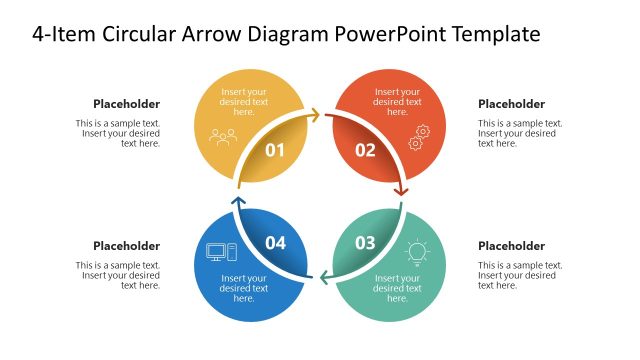
Slide 2 of 2 from 4-Item Quadrant Arrows PowerPoint Diagram
Editable Four Arrow PowerPoint Diagram for Presentation
4-Item Quadrant Arrows Diagram for Presentations
- Diagram
- Matrix Quadrant
- Process Slide
- 16:9
- 100% Editable
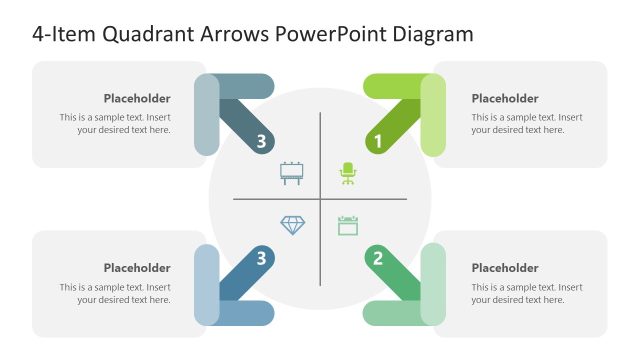
The 4-Item Quadrant Diagram with Arrows slide from the 4-Item Quadrant Arrows PowerPoint Diagram template offers a clear visual framework for presenting four-step processes or strategic frameworks. This slide layout uses editable shapes and vector icons to highlight project phases or educational content, making it suitable for corporate presentations and business presentation slide decks.
What’s on This Slide
The layout features a four-quadrant diagram with arrows pointing towards each quadrant. Each quadrant contains a placeholder for text, positioned centrally within a square. The arrows are colored in shades of blue and green, indicating directionality. Each quadrant has a unique icon: a calendar, a chair, a diamond, and a chart. Text placeholders are aligned to the left and right of the quadrants, maintaining a balanced visual hierarchy. The overall background is light, enhancing the visibility of the elements.
How to Use It
This layout serves as a structured way to present four related concepts or steps, making it suitable for educational or business contexts. It can effectively illustrate processes, strategies, or comparisons. Positioned as the second slide, it follows an introductory or problem-framing slide, providing clarity on the next steps or solutions. This layout is ideal for team meetings, training sessions, or project presentations where clear segmentation of ideas is necessary.
Text Placeholders & Capacity
Keep your copy within these limits so it fits without resizing. Node body slots can hold about 10 words each.
| Placeholder | Count | Max characters (approx.) |
|---|---|---|
| Item body | 4 | 50 |
| Item heading | 4 | 10 |
Slide Keywords
Download unlimited PowerPoint templates, charts and graphics for your presentations with our annual plan.
DOWNLOADReturn to 4-Item Quadrant Arrows PowerPoint Diagram.