Slide 2 of 5 from 4-Box Horizontal Process Flow PowerPoint Template
Editable 4-Box Horizontal Process Flow Slide with Infographics
Four-Box Process Flow Diagram
- Diagram
- Comparison Split
- Process Slide
- 16:9
- 100% Editable
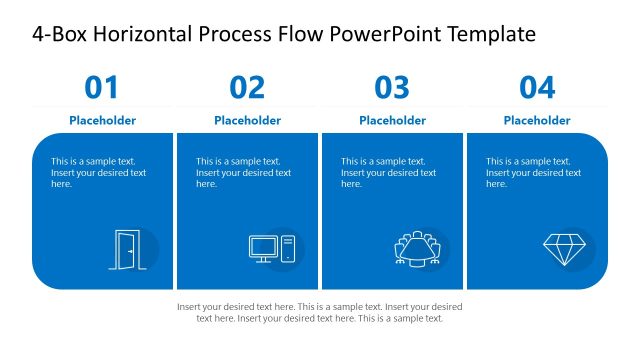
The Four-Box Process Flow slide from the 4-Box Horizontal Process Flow PowerPoint Template offers a structured layout ideal for business presentations requiring clear depiction of sequential workflows. This slide template features editable shapes and vector icons arranged horizontally to illustrate four distinct stages, making it suitable for onboarding, project implementation, or user flow explanations. Its clean design supports effective communication in corporate presentation slide decks and pitch deck templates.
What’s on This Slide
The layout features four rectangular boxes arranged horizontally. The first box on the left is highlighted in blue, containing an icon of a door and a text placeholder aligned to the left. The second, third, and fourth boxes are gray, each with a centered icon and text placeholder. The icons represent a computer, a group of people, and a diamond, respectively. The title is positioned at the top center, with a larger font size. Each box has a number label at the top, indicating its sequence in the process. The overall composition is clean and structured.
How to Use It
This layout serves as a sequential process flow diagram, ideal for illustrating four distinct stages in a workflow. It fits well in presentations that require clear step-by-step guidance, such as onboarding processes, project implementations, or operational workflows. The format allows for easy comparison between stages, making it suitable for business scenarios where clarity in progression is essential. It can be used individually or as part of a larger presentation to maintain consistency in visual storytelling.
Text Placeholders & Capacity
Keep your copy within these limits so it fits without resizing. Node body slots can hold roughly 10-12 words each.
| Placeholder | Count | Max characters (approx.) |
|---|---|---|
| Slide title | 1 | 40 |
| Item heading | 4 | 20 |
| Item body | 4 | 60 |
Slide Keywords
Download unlimited PowerPoint templates, charts and graphics for your presentations with our annual plan.
DOWNLOADReturn to 4-Box Horizontal Process Flow PowerPoint Template.