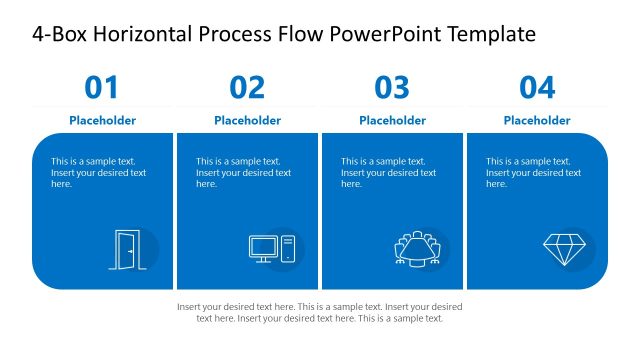
Slide 5 of 5 from 4-Box Horizontal Process Flow PowerPoint Template
4-Box Horizontal Process Flow Template Slide
4-Box Horizontal Process Flow Overview
- Diagram
- Comparison Split
- Process Slide
- 16:9
- 100% Editable
The 4-Box Horizontal Process Flow slide from the 4-Box Horizontal Process Flow PowerPoint Template offers a clear layout for illustrating sequential workflows. This slide layout uses editable shapes and vector icons to highlight each step in a process, making it ideal for business presentations and project implementation overviews. Its linear design supports effective communication of user flows or operational stages within a corporate presentation or pitch deck template.
What’s on This Slide
The layout features four horizontal boxes aligned in a row, each containing a number and a text placeholder. The first three boxes have light gray backgrounds, while the fourth box has a blue background. Each box has an icon placeholder positioned above the text area, which is centrally aligned. The title is located at the top center, with a larger font size than the box numbers. The overall composition is linear and emphasizes a sequential process flow. Text placeholders are present in each box, indicating where content should be inserted.
How to Use It
This layout serves as a sequential process overview, ideal for illustrating steps in a workflow or user flow. It fits well at the end of a presentation to summarize key stages or actions. This structure is useful in business contexts such as onboarding processes, project implementation, or operational workflows. It effectively communicates a clear progression from one stage to the next, making it suitable for both internal and external presentations.
Text Placeholders & Capacity
Keep your copy within these limits so it fits without resizing. Node body slots can hold about 15-20 words each.
| Placeholder | Count | Max characters (approx.) |
|---|---|---|
| Slide title | 1 | 40 |
| Item heading | 4 | 20 |
| Item body | 4 | 100 |
Slide Keywords
Download unlimited PowerPoint templates, charts and graphics for your presentations with our annual plan.
DOWNLOADReturn to 4-Box Horizontal Process Flow PowerPoint Template.