Slide 2 of 2 from 3x3 By The Numbers PowerPoint Template
3×3 By The Numbers PPT Slide
3x3 KPI Matrix for Presentations
- Table
- Comparison Table
- Evaluation Slide
- 16:9
- 100% Editable
The 3x3 KPI Matrix slide from the 3×3 By The Numbers PowerPoint Template offers a clear and structured layout for presenting key performance indicators. This editable slide features a 3x3 grid ideal for business presentations and financial summaries, enabling concise comparison of metrics. Its clean design supports effective communication in corporate presentations and pitch decks, making it a practical choice among slide templates for showcasing numerical data with vector icons and editable shapes.
What’s on This Slide
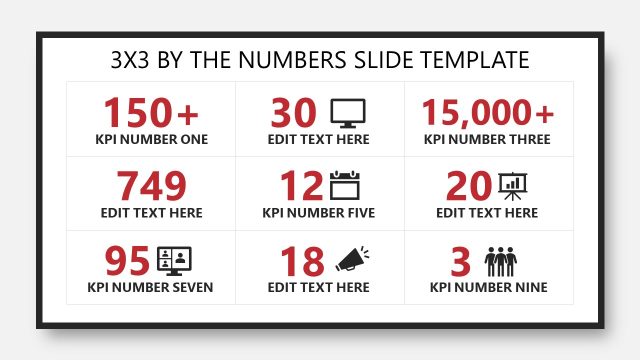
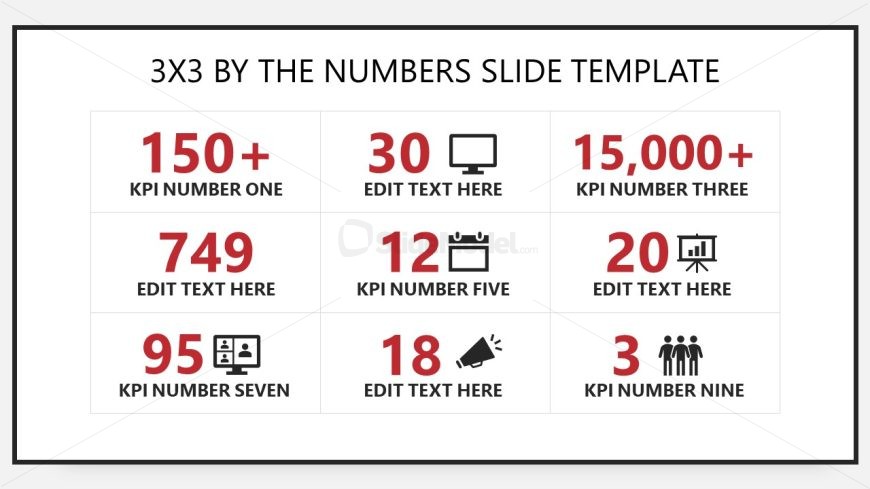
The layout features a 3x3 grid with nine cells, each containing a KPI number and an associated label. The first row includes three cells, with the first cell on the left displaying '150+', the center cell showing '30', and the right cell indicating '15,000+'. The second row has '749' in the left cell, '12' in the center, and '20' on the right. The third row features '95' on the left, '18' in the center, and '3' on the right. Each cell has a consistent font size and alignment, with a bold font for the KPI numbers and a standard font for the labels. The background is white with a thin black border.
How to Use It
This layout serves as a numerical KPI display, ideal for summarizing key performance indicators in a concise format. It fits well in presentations that aim to provide a quick overview of metrics, such as business performance reviews or project updates. The grid format allows for easy comparisons between different KPIs. This slide is particularly useful in financial presentations, marketing reports, or operational dashboards where numerical data is essential for decision-making.
Text Placeholders & Capacity
Keep your copy within these limits so it fits without resizing. Each cell can accommodate short phrases or numbers, roughly 2-3 words each.
| Placeholder | Count | Max characters (approx.) |
|---|---|---|
| Cell | 9 | 15 |
Slide Keywords
Download unlimited PowerPoint templates, charts and graphics for your presentations with our annual plan.
DOWNLOADReturn to 3x3 By The Numbers PowerPoint Template.