The 3D Square Peg Round Circle Metaphor is the concept presentation for business and personal experiences. The round and square pegs created as shapes in PowerPoint can represent the company’s core abilities. It can also portray a person’s uniqueness and struggle to fit into society. It is an exceptional PowerPoint template suitable for socio-economic and business study presentations.
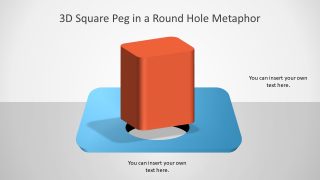
The template 3D shapes of square pegs and round circles are a visual presentation for metaphor in PowerPoint. The 5 slides of 3D blocks contain several colorful and classic pegs in the hole, designed with the real game look and feel.. For example, a blue board layout with a yellow cylinder shape and a red square block. The pegs game metaphor is originally from a study of moral philosophy by Sydney Smith. The theory explains that it is unlikely for pieces to fit exactly in their respective holes.
The 3D Square Peg Round Circle Metaphor offers an incredible animated 3D shapes slide layout. It shows the simple yet incredible movement of the square peg over the round hole. The animation illustrates the concept of the peg bouncing back in reaction to not fitting in the round hole. The metaphor of the PowerPoint concept of a square peg explains that the square can’t fit into a round hole. But, in the actual game, the player needs to find the correct whole that matches the surface of the solid body.. This shows that the business or an individual needs to decide to reach the desired position.
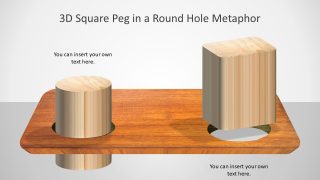
The 3D PowerPoint presentation of square peg and round circle metaphor is also an adversity strategy concept. The idea of fitting the square pegs into the round hole is the 3D illustration of success. The 3D square peg shapes of PowerPoint with round circle holes are editable slides. And, 3D in PowerPoint template has an interesting layout of wooden peg blocks and board. The PowerPoint provides quick solutions to personalize these slides. For example, the recolor, animations, and change in size etc.
Alternatively, you can download other animated PPT templates for PowerPoint or browse our collection of 3D templates for presentations.
What’s inside this template
Example presentation scenarios
- A strategy consultant can use the peg board scene to explain why a proposed capability does not fit the current operating model.
- An HR leader can use the square peg over the round hole to discuss role fit, team placement, or hiring criteria with managers.
- A product manager can use the isolated mismatch layout to show why a product idea may not match a target market or customer problem.
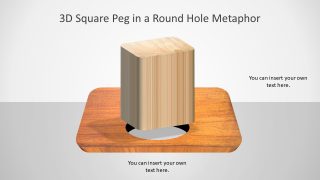
- A coach or educator can use the wood texture variation to discuss personal uniqueness, social pressure, or the limits of forcing one standard path.
Features
- 100% editable presentation template
- Compatible with Microsoft PowerPoint
- 16:9 aspect ratio slides
- Scalable vector shapes, icons and illustrations
- Ready with Animations & Transitions in PowerPoint
- AI-Ready for Microsoft Copilot and Claude
- Instant access and download
Frequently asked questions
Q: How should a presenter frame the square peg metaphor without oversimplifying the business issue?
A: Use the peg image as the opening analogy, then immediately define what each object represents in the situation: the square peg, the round hole, and the board. For example, connect the square peg to a product, role, or strategy, and the round hole to market demand, job requirements, or organizational constraints.
Q: Who benefits most from this template in a business presentation?
A: This template fits presenters who need to make an abstract mismatch visible before discussing options. Consultants, HR leaders, trainers, and product teams can use the peg board scenes to introduce alignment problems, talent-role fit, change resistance, or product-market fit before moving into recommendations.
Q: Why does the 3D peg board design make the message easier to understand?
A: The metaphor turns misalignment into a physical problem the audience recognizes instantly. The square peg hovering over a round hole shows conflict without needing much text, while the round peg fitting correctly provides contrast. That visual comparison helps the presenter discuss fit, adaptation, or redesign more clearly.


3D Square Peg Round Circle Metaphor
4-slide PowerPoint presentation template for square peg metaphor, round hole fit, and change communication
This is a 4-slide Microsoft PowerPoint template built around a 3D square peg and round hole metaphor. Visible layouts include a full peg board scene, an animated square peg variant, an isolated mismatch scene, and a wood texture variation for explaining fit, alignment, uniqueness, or organizational mismatch.
- Category
- Models
- Rating


 Loading...
- Aspect ratio
- 16:9
- Item ID
- 8373-01
 Microsoft PowerPoint
 Microsoft Copilot
 Claude for PowerPoint
Other formats supported
Subscribe today and get immediate
access to download our PowerPoint templates.