Slide 2 of 5 from 3D Circular Platforms for PowerPoint
3D Circular Platforms with Colors for PowerPoint
3D Circular Platform Diagram for Presentations
- Diagram
- Radial Hub
- Concept Explanation Slide
- 16:9
- 100% Editable
The 3D Circular Platform Diagram slide from the 3D Circular Platforms for PowerPoint template offers a clear visual tool for illustrating interconnected concepts or processes. This slide layout uses editable shapes and vector icons to create a radial hub design, making it suitable for business presentations that require a strategic overview or feature comparison. Its design supports effective communication in pitch deck templates and corporate presentations by visually linking multiple elements to a central theme.
About This Slide
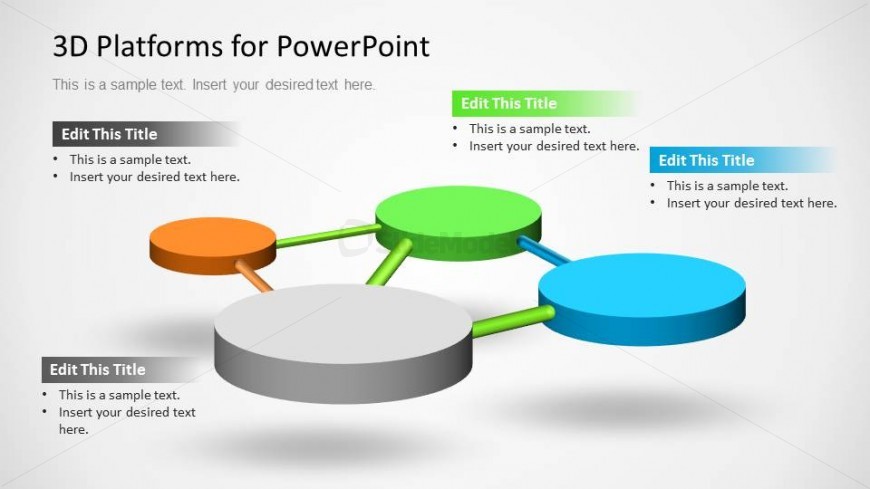
Creative slide design with a colorful platforms diagram that can be used to represent a math graph with nodes and edges but also other business concepts and ideas.
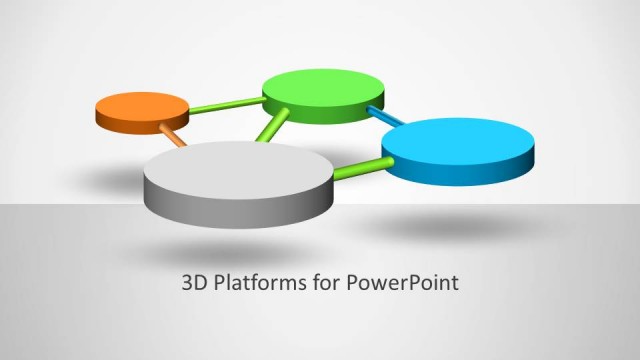
This slide design has 4 stages that can be used to make a PowerPoint slide with a business diagram or concept idea with four components interconnected together.
What’s on This Slide
The layout features a central circular platform in gray at the bottom center, with three smaller colored platforms positioned above it. The left platform is orange, the top platform is green, and the right platform is blue. Each platform has connecting lines that extend from the central platform to the smaller ones, creating a radial flow. Text placeholders are present on each platform, aligned centrally, indicating where titles and body text can be inserted. The background is a light gradient, enhancing the 3D effect of the platforms.
How to Use It
This layout serves as a visual representation of interconnected ideas or components, suitable for illustrating processes or relationships. It fits well in presentations that require a clear depiction of how various elements interact or contribute to a central theme. Common scenarios include project overviews, product features, or strategic plans, where multiple aspects are linked to a core concept. It is effective for both team discussions and stakeholder presentations.
Text Placeholders & Capacity
Keep your copy within these limits so it fits without resizing. Node labels can hold about 30 characters each, while body text can accommodate around 50 characters.
| Placeholder | Count | Max characters (approx.) |
|---|---|---|
| Slide title | 1 | 30 |
| Item heading | 3 | 30 |
| Item body | 3 | 50 |
Slide Keywords
Download unlimited PowerPoint templates, charts and graphics for your presentations with our annual plan.
DOWNLOADReturn to 3D Circular Platforms for PowerPoint.