Slide 5 of 6 from 3D 4 Steps Jigsaw PowerPoint Pie Chart
3D Pie Chart PowerPoint Step 4 Jigsaw Puzzle
3D Jigsaw Pie PowerPoint Chart Overview
- Diagram
- Other
- Process Slide
- 16:9
- 100% Editable
What’s on This Slide
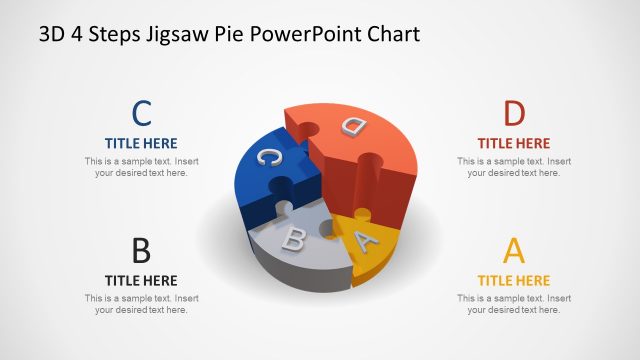
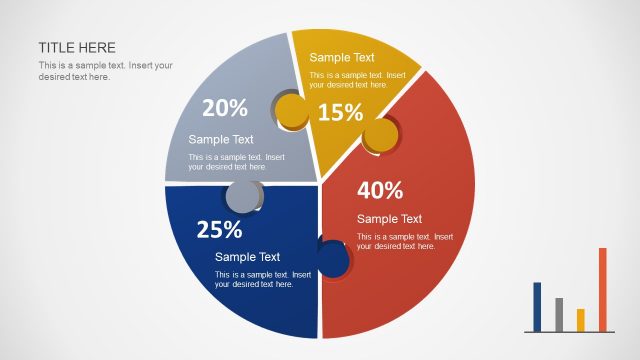
The layout features a 3D pie chart divided into four segments labeled A, B, C, and D. The segments are arranged in a circular formation, with segment D prominently displayed in a red hue. An arrow connects segment D to a separate red pie piece, indicating a focus on this section. Text placeholders are present, with the title positioned at the top left and a body text area below it. The overall composition emphasizes the central pie chart while maintaining a clean background, enhancing visual clarity.
How to Use It
This layout serves as a visual representation of a four-step process or concept, suitable for illustrating sequential ideas or stages. It fits well in a presentation sequence following a problem statement, leading into a solution or action plan. Real-world applications include project planning, strategic initiatives, or product development processes, where clarity in steps is essential for audience understanding.
Text Placeholders & Capacity
Keep your copy within these limits so it fits without resizing. Body slots can accommodate around 20-25 words each.
| Placeholder | Count | Max characters (approx.) |
|---|---|---|
| Slide title | 1 | 30 |
| Body paragraph | 1 | 150 |
Slide Keywords
Download unlimited PowerPoint templates, charts and graphics for your presentations with our annual plan.
DOWNLOADReturn to 3D 4 Steps Jigsaw PowerPoint Pie Chart.