Slide 3 of 6 from 3D 4 Steps Jigsaw PowerPoint Pie Chart
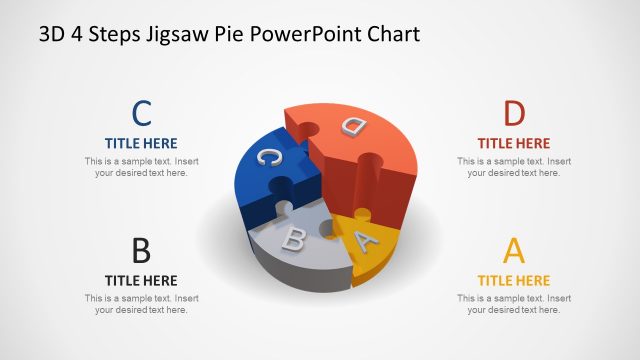
3D Pie Chart PowerPoint Step 2 Jigsaw Puzzle
3D 4 Steps Jigsaw Pie Chart Overview
- Diagram
- Other
- Process Slide
- 16:9
- 100% Editable
What’s on This Slide
The layout features a 3D pie chart divided into four segments, each colored differently. The segments are labeled A, B, C, and D, with the letters prominently displayed in white. A separate piece labeled B is shown detached from the main chart, connected by a curved line. The title placeholder is positioned at the top left, while a text placeholder is located on the right side, aligned vertically. The background is a light gradient, enhancing the 3D effect of the pie chart. The overall composition emphasizes the segments and their labels.
How to Use It
This layout serves as a visual representation of a four-step process or concept, ideal for illustrating sequential ideas or components. It fits well in a presentation sequence following an introduction or problem statement, providing clarity on the steps involved. This structure is useful in business contexts such as project planning, product development, or strategic initiatives, where breaking down complex information into digestible parts is essential. It can also be employed in educational settings to explain multi-step processes.
Text Placeholders & Capacity
Keep your copy within these limits so it fits without resizing. Body slots can accommodate around 25-30 words each.
| Placeholder | Count | Max characters (approx.) |
|---|---|---|
| Slide title | 1 | 30 |
| Item heading | 4 | 1 |
| Body paragraph | 1 | 150 |
Slide Keywords
Download unlimited PowerPoint templates, charts and graphics for your presentations with our annual plan.
DOWNLOADReturn to 3D 4 Steps Jigsaw PowerPoint Pie Chart.