Slide 3 of 5 from 3 Step Bracelet Diagram for PowerPoint
6125-03-3-step-bracelet-diagram-3
3 Step Bracelet Diagram for PowerPoint
- Diagram
- Comparison Split
- Process Slide
- 16:9
- 100% Editable
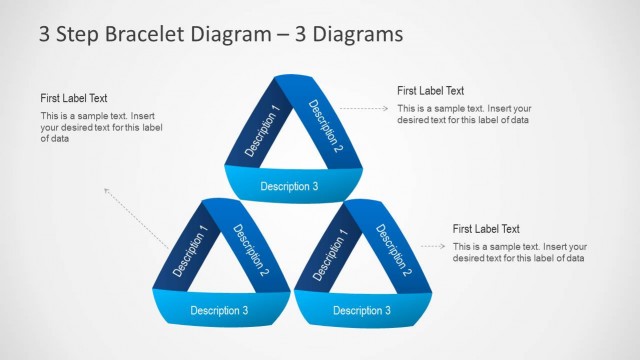
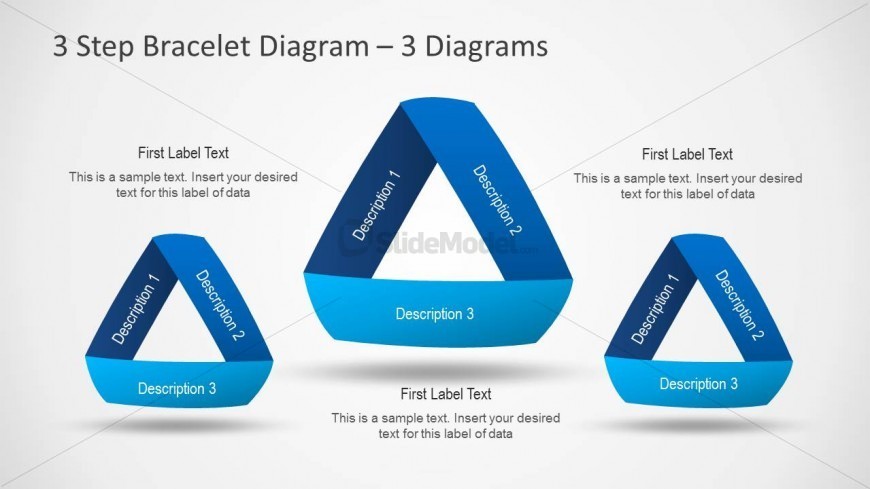
The 3 Step Bracelet Diagram with Labels slide from the 3 Step Bracelet Diagram for PowerPoint template offers a clear visual method to present processes or feature comparisons. This slide layout uses three interconnected triangular shapes with editable titles and descriptions, ideal for illustrating project phases or multi-part concepts in business presentations. Its design supports effective communication in corporate slide decks, making it a practical choice among presentation templates featuring editable shapes and vector icons.
What’s on This Slide
The slide features three triangular shapes arranged in a bracelet format, each labeled with a title and descriptions. The left triangle has a label at the top and three descriptions below it, while the center triangle has a similar layout. The right triangle mirrors the others, maintaining the same structure. Text placeholders are present for titles and descriptions, aligned centrally within each triangle. The background is light, enhancing the visibility of the blue and dark blue shapes, which create a cohesive visual hierarchy among the elements.
How to Use It
This layout serves as a multi-part diagram to illustrate three related concepts or steps in a process. It is effective in presentations where sequential or comparative analysis is needed, such as project phases or product features. Positioned after introductory slides, it can clarify complex ideas by breaking them into digestible parts. This structure is suitable for business meetings, educational settings, or marketing pitches where clear communication of grouped concepts is essential.
Text Placeholders & Capacity
Keep your copy within these limits so it fits without resizing. Node body slots can hold roughly 10-15 words each.
| Placeholder | Count | Max characters (approx.) |
|---|---|---|
| Slide title | 1 | 30 |
| Item heading | 3 | 20 |
| Item body | 9 | 50 |
Slide Keywords
Download unlimited PowerPoint templates, charts and graphics for your presentations with our annual plan.
DOWNLOADReturn to 3 Step Bracelet Diagram for PowerPoint.