Slide 1 of 2 from 2 Pyramids Infographic PowerPoint Template
2 Pyramids Infographic PPT Template
Two Pyramids Comparison Diagram for Presentations
- Diagram
- Comparison Split
- Comparison Slide
- 16:9
- 100% Editable
What’s on This Slide
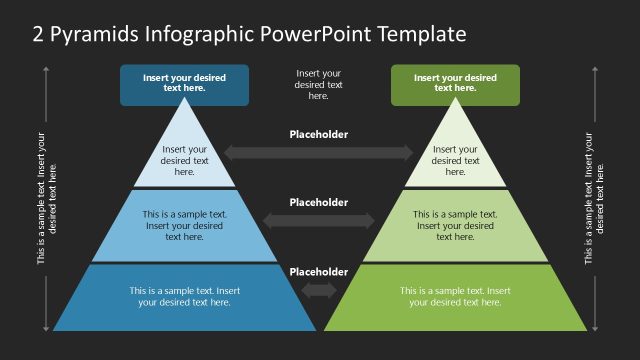
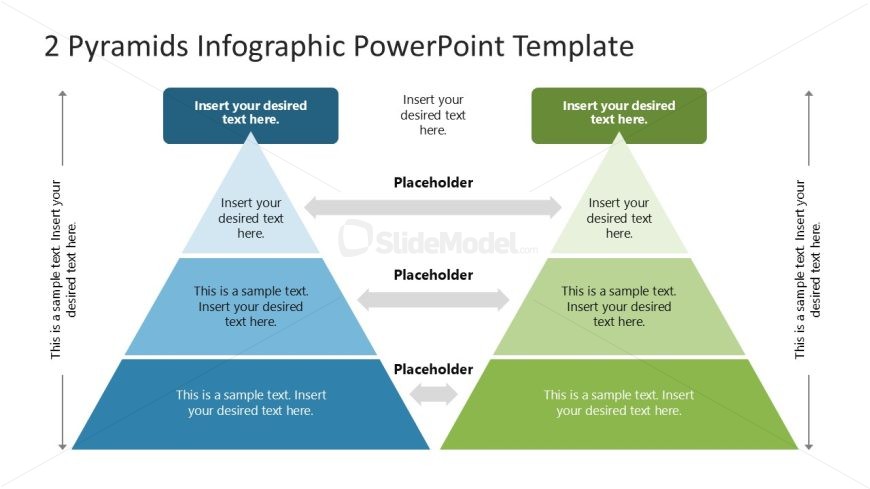
The layout features two pyramids positioned side by side, one in blue and one in green. Each pyramid has three levels, with the top level being smaller than the middle and bottom levels. Between the pyramids, there are horizontal arrows indicating a relationship. Text placeholders are located at the top and within each pyramid, aligned centrally. The background is light, enhancing the visibility of the shapes. The pyramids are separated by a central space, creating a clear visual distinction between them. Overall, the composition emphasizes comparison.
How to Use It
This layout serves as a comparison diagram, ideal for illustrating two related concepts or processes. It fits well in a presentation sequence where a comparison is needed, such as evaluating two strategies or products. This structure is useful in business contexts, such as performance analysis, product feature comparisons, or strategic planning discussions. It allows for clear visual communication of differences and similarities between the two subjects being compared.
Text Placeholders & Capacity
Keep your copy within these limits so it fits without resizing. Node body slots can hold around 10-12 words each.
| Placeholder | Count | Max characters (approx.) |
|---|---|---|
| Item heading | 6 | 40 |
| Item body | 6 | 60 |
| Slide title | 1 | 50 |
Slide Keywords
Download unlimited PowerPoint templates, charts and graphics for your presentations with our annual plan.
DOWNLOADReturn to 2 Pyramids Infographic PowerPoint Template.