Slide 3 of 4 from Free Thermometer Slides for PowerPoint
PowerPoint Thermometer Template Cold Temperature
Thermometer Data Visualization Slide
- Chart
- Gauge Meter
- Evaluation Slide
- 16:9
- 100% Editable
The Thermometer Data Visualization slide from the Free Thermometer Slides for PowerPoint template offers a clear and engaging way to present performance metrics and project progress. This slide layout includes editable shapes and vector icons to highlight key statistics effectively, making it a practical choice for business presentations and corporate slide decks focused on data evaluation and progress tracking.
What’s on This Slide
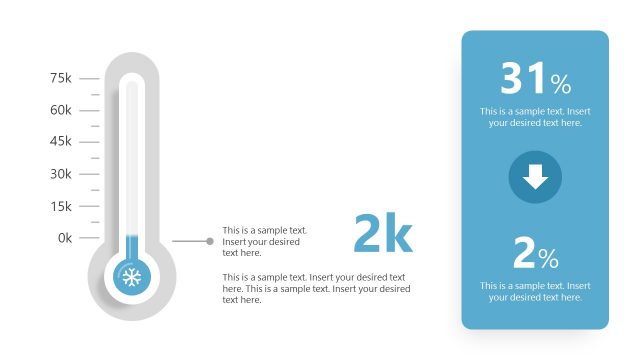
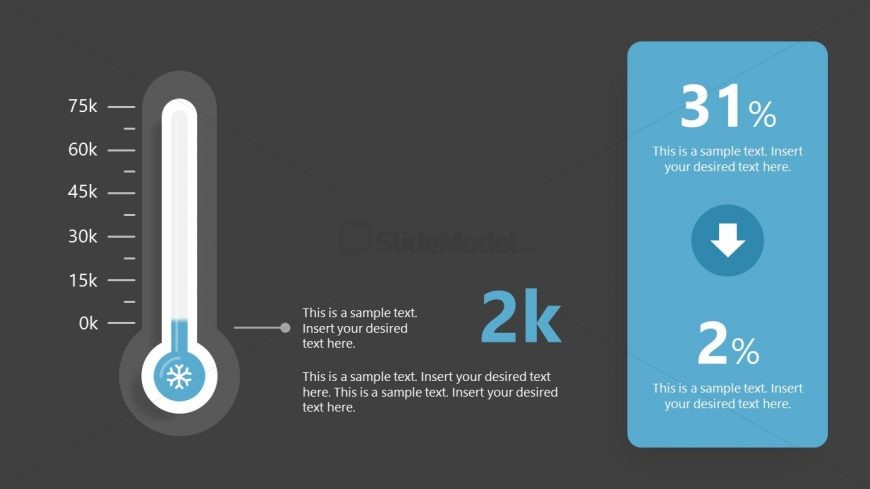
The slide features a thermometer graphic positioned on the left side, filled to a level indicating 2k. The thermometer is accompanied by a vertical text box on the right, containing three text placeholders. The first placeholder displays a percentage of 31%, followed by a downward arrow icon, and a second percentage of 2%. The background is dark gray, providing contrast to the white and blue elements of the thermometer and the light blue of the text box. The overall layout emphasizes the thermometer and the accompanying data.
How to Use It
This layout serves as a data visualization tool, effectively communicating metrics or performance indicators. It fits well in presentations that require a visual representation of progress or comparison, such as sales targets or project milestones. This slide can be used in business contexts to highlight key performance metrics, making it suitable for reports, updates, or strategic planning discussions. It is particularly useful when presenting quantitative data in a visually engaging manner.
Text Placeholders & Capacity
Keep your copy within these limits so it fits without resizing. Body slots can hold approximately 10-12 words each.
| Placeholder | Count | Max characters (approx.) |
|---|---|---|
| Item body | 3 | 50 |
| Item heading | 2 | 10 |
| Callout | 1 | 50 |
Slide Keywords
Download unlimited PowerPoint templates, charts and graphics for your presentations with our annual plan.
DOWNLOADReturn to Free Thermometer Slides for PowerPoint.