Slide 1 of 4 from Free Thermometer Slides for PowerPoint
Thermometer Slide Celsius and Fahrenheit Temperatures
Dual Thermometer Display for Presentations
- Diagram
- Comparison Split
- Evaluation Slide
- 16:9
- 100% Editable
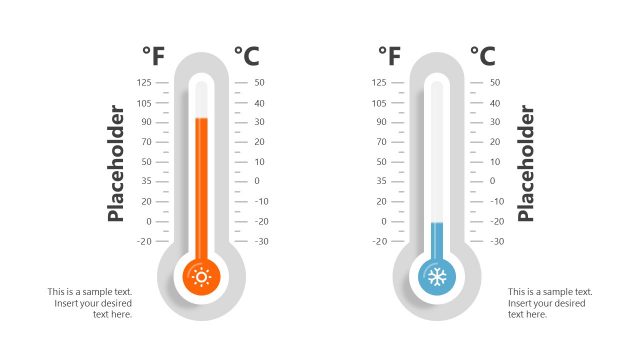
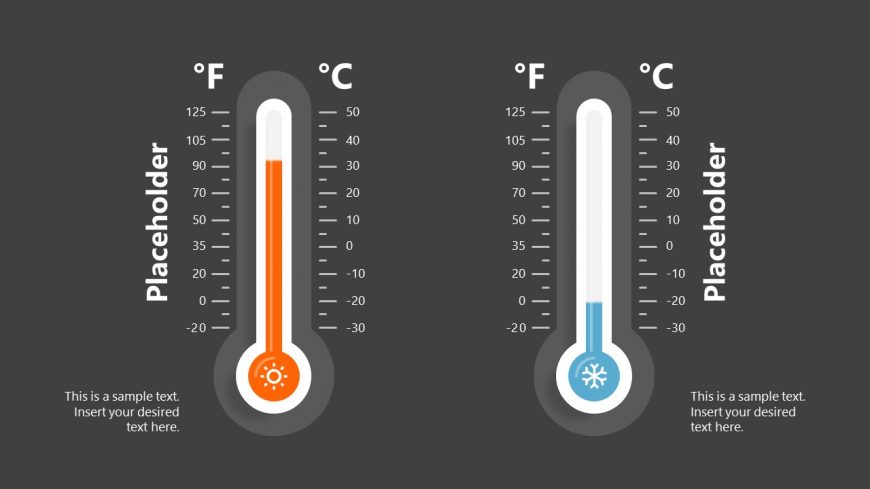
The Dual Thermometer Display slide from the Free Thermometer Slides for PowerPoint template provides a clear visual comparison of temperature data using editable shapes and vector icons. Designed for business presentations or educational content, this slide layout supports effective communication of climate trends or product specifications within a professional slide deck.
What’s on This Slide
The layout features two thermometer graphics positioned side by side, one on the left and one on the right. Each thermometer has a vertical scale with temperature markings in Fahrenheit and Celsius. The left thermometer is colored orange, while the right is blue, indicating different temperature ranges. Below each thermometer, there are text placeholders aligned centrally, allowing for additional information or labels. The background is dark gray, providing contrast to the thermometers and enhancing visibility. The overall composition is symmetrical, emphasizing the comparison between the two temperature scales.
How to Use It
This layout serves as a visual comparison tool, ideal for presenting temperature-related data or metrics. It fits well in a presentation sequence after introducing a topic related to climate, weather, or temperature analysis. Real-world scenarios include discussing temperature trends, climate change impacts, or product temperature specifications. This slide can be used to highlight differences or similarities in temperature readings effectively, making it suitable for educational or business contexts.
Text Placeholders & Capacity
Keep your copy within these limits so it fits without resizing. Each thermometer can hold concise labels and descriptions, roughly 2-3 sentences each.
| Placeholder | Count | Max characters (approx.) |
|---|---|---|
| Item heading | 2 | 15 |
| Item body | 2 | 50 |
Slide Keywords
Download unlimited PowerPoint templates, charts and graphics for your presentations with our annual plan.
DOWNLOADReturn to Free Thermometer Slides for PowerPoint.