Slide 2 of 7 from Free Multi-Use PowerPoint Template
Free Slides of PowerPoint
Bar Chart with Callout Bubbles in Presentation
- Diagram
- Comparison Split
- Evaluation Slide
- 16:9
- 100% Editable
The Bar Chart with Callout Bubbles slide from the Free Multi-Use PowerPoint Template combines a vertical bar chart with colorful callouts to effectively present evaluation data. This layout is suitable for business presentations like sales reports and marketing updates, offering editable slides that integrate data visualization with key insights. Its design supports clear communication of statistics alongside qualitative points, making it a practical choice for professional slide decks.
What’s on This Slide
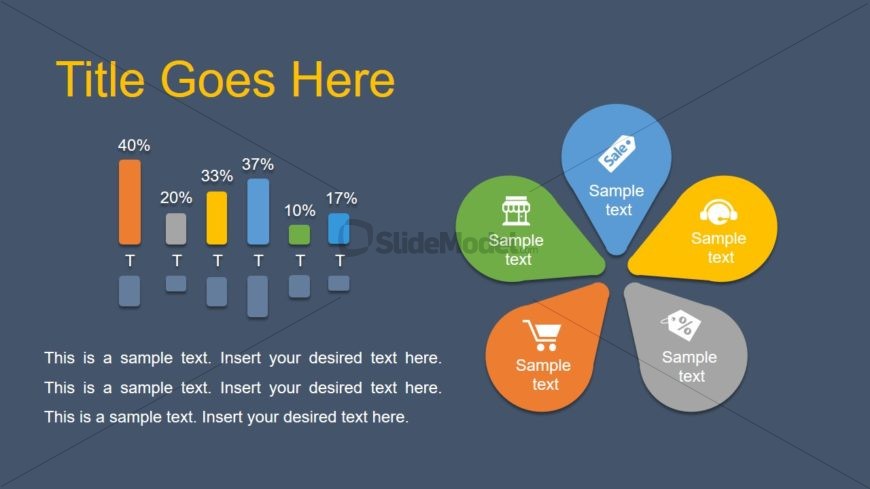
The layout features a dark gray background with a large title at the top left. Below the title, there is a vertical bar chart with five bars of varying heights, each labeled with a percentage. To the right of the chart, five colored callout bubbles are arranged in a circular pattern. Each bubble contains an icon and sample text, with one bubble being orange, one green, one blue, one yellow, and one gray. Text placeholders are present at the bottom, aligned left, for additional content.
How to Use It
This layout serves as a combination of a data visualization and a callout section, ideal for presenting statistics alongside key points. It fits well after an introductory slide, providing a visual summary of data and insights. This structure is useful in business contexts such as sales reports, marketing presentations, or project updates where both quantitative and qualitative information is needed.
Text Placeholders & Capacity
Keep your copy within these limits so it fits without resizing. Body slots can accommodate roughly 15-20 words each.
| Placeholder | Count | Max characters (approx.) |
|---|---|---|
| Slide title | 1 | 30 |
| Item heading | 5 | 20 |
| Item body | 5 | 50 |
| Body paragraph | 3 | 100 |
Slide Keywords
Download unlimited PowerPoint templates, charts and graphics for your presentations with our annual plan.
DOWNLOADReturn to Free Multi-Use PowerPoint Template.