Slide 6 of 8 from Free Abela's Chart Chooser PowerPoint Template
Comparison Over Time Editable PowerPoint Charts
Comparison Charts for Data Visualization
- Diagram
- Comparison Split
- Comparison Slide
- 16:9
- 100% Editable
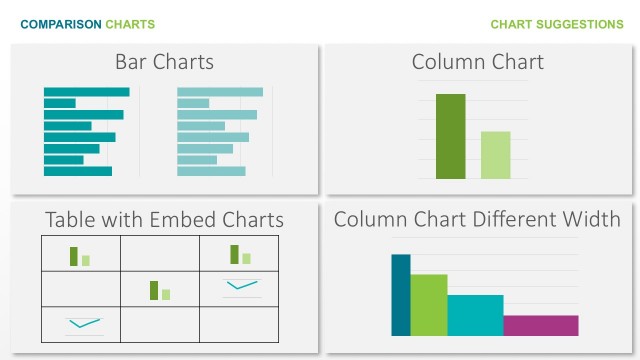
The Comparison Charts slide from the Free Abela's Chart Chooser PowerPoint Template offers a clear layout for contrasting multiple chart types, ideal for business presentations focused on data visualization. This slide uses editable shapes and vector icons to illustrate line, column, and area charts, supporting effective analytics communication within a corporate presentation or pitch deck template.
What’s on This Slide
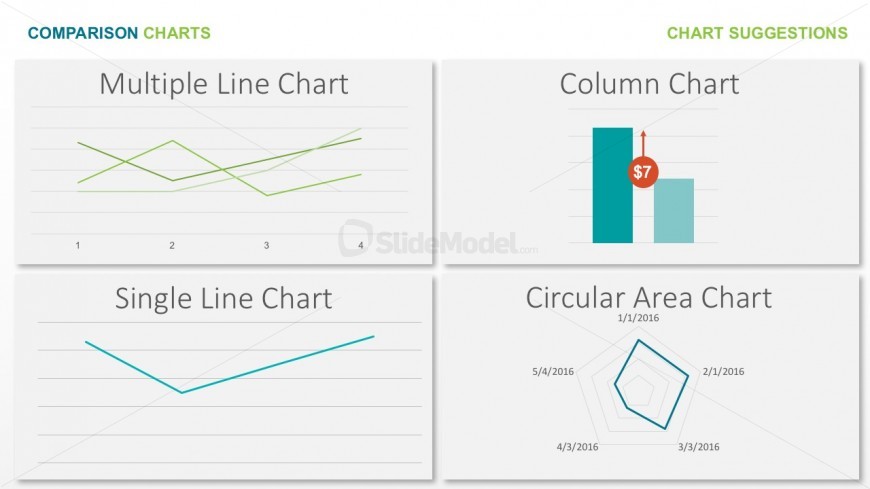
The slide features a grid layout divided into four sections, each containing a different chart type. The top left section displays a multiple line chart with two lines in varying shades of green, while the top right section shows a column chart with two bars, one highlighted with a dollar value. The bottom left section presents a single line chart with a single blue line, and the bottom right section features a circular area chart with multiple data points connected by lines. Each section has a title positioned above the chart, and the overall background is light with subtle gradients.
How to Use It
This layout serves as a comparison tool for different chart types, making it suitable for presentations focused on data visualization. It can be effectively used to showcase various methods of representing data, helping audiences understand the best chart for specific data sets. This slide fits well in a sequence discussing data analysis or visualization strategies, allowing for a clear transition from discussing data types to visual representation options.
Text Placeholders & Capacity
Keep your copy within these limits so it fits without resizing. Node labels can accommodate roughly 3-5 words each.
| Placeholder | Count | Max characters (approx.) |
|---|---|---|
| Slide title | 1 | 20 |
| Item heading | 4 | 20 |
Slide Keywords
Download unlimited PowerPoint templates, charts and graphics for your presentations with our annual plan.
DOWNLOAD