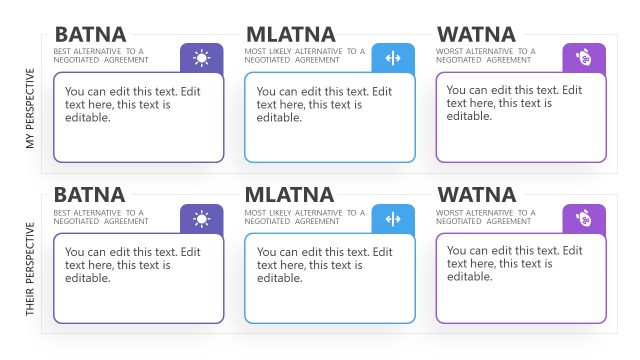
The ZOPA Negotiation Template for PowerPoint presents a conceptual model to make a deal. PowerPoint presentation templates for Business maps the position, preferences, and BATNA of buyer and seller to find common ground. The purpose of negotiations is to reach an agreement that benefits all parties involved. Skilled negotiation is back and forth communication where some ideas are shared and some are opposed. The negotiation strategies play their part to achieve an agreement where everyone is happy. ZOPA and BATNA are negotiation strategies to understand everyone’s needs, values, and interests. The modern PowerPoint themes of ZOPA diagram can help discuss these requirements during the negotiation plan. BATNA is one of the components in ZOPA diagram presentation templates for PowerPoint. It lets negotiators explore alternative solutions when either party is not satisfied.
ZOPA stands for Zone of Possible Agreement. It is a bargain range for buyers and sellers to find a common ground. The zone of possible agreement can only exist when there is an overlap between the party’s expectations. In order to reach an agreement, ZOPA provides mutual benefit, incorporating some of each party’s ideas. These ideas include different scenarios, issues, interests, options, objectives, and positions.
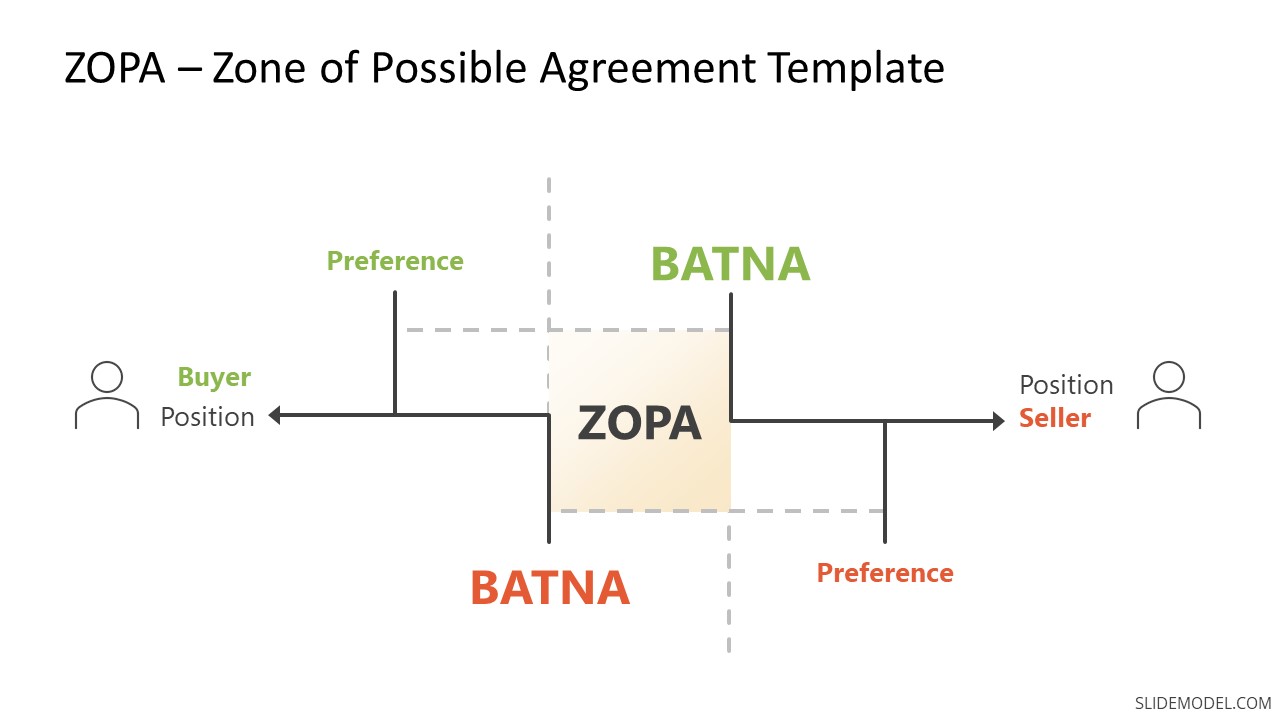
In ZOPA diagram presentation templates PPT, the horizontal path between seller’s and buyer’s position can be is a price range. The preference represents desired conditions of each party. Whereas BATNA analysis helps determine each party’s reservation point. If there is a resolution that both parties would prefer, then ZOPA – Zone for a possible agreement exists. It is a collaborative state for negotiators to trade off some aspects and gain others to reach a favorable outcome.
The ZOPA Negotiation Template for PowerPoint is a useful diagram to demonstrate a collaborative approach. This template contains two simple PowerPoint backgrounds to present a negotiation strategy. You can use these minimalist PowerPoint templates designs in educational and business presentations. It can be presented for online collaborations using Google Slides Templates. The ZOPA diagram PowerPoint templates to download, provide a clear picture of the negotiator’s position, interests, BATNA, and Zone of Possible Agreement.
What’s inside this template
Example presentation scenarios
- A sales manager can use the ZOPA diagram to brief account executives on buyer limits, seller targets, and the likely agreement range before a pricing discussion.
- A procurement lead can present BATNA markers and preference points to compare vendor expectations with the organization's acceptable buying position.
- A consultant can use the buyer-seller position line to explain why a proposed deal has common ground or why the parties need to reset assumptions.
- A negotiation instructor can teach ZOPA and BATNA concepts by walking learners through the central overlap block, the dashed guides, and the preference markers.
Features
- 100% editable presentation template
- Compatible with Microsoft PowerPoint and Google Slides
- 16:9 aspect ratio slides
- Scalable vector shapes, icons and illustrations
- AI-Ready for Microsoft Copilot and Claude
- Instant access and download
Frequently asked questions
Q: How should I explain the ZOPA diagram to an audience unfamiliar with negotiation theory?
A: Start with the horizontal line as the negotiation range, then define each side's position before naming ZOPA. Use the preference and BATNA markers to show where flexibility ends. This order helps the audience see why a deal exists only when the parties' acceptable ranges overlap.
Q: Who is this template best suited for in a business presentation?
A: This template fits sales leaders, procurement teams, consultants, and instructors who need to make a negotiation boundary visible quickly. It works best when the goal is to compare buyer and seller positions, explain fallback options, or teach ZOPA and BATNA before a live negotiation or training discussion.
Q: Why does the design place buyer, seller, BATNA, and ZOPA on a single horizontal range?
A: The design uses a simple bargaining-line metaphor: buyer on one side, seller on the other, and the possible agreement zone at the overlap. That spatial logic reduces abstract negotiation terms into positions, limits, and common ground, so the audience can evaluate trade-offs without reading a dense framework.

ZOPA Negotiation Template for PowerPoint
2-slide negotiation presentation template with ZOPA diagram, BATNA markers, and buyer-seller positions
The ZOPA Negotiation Template for PowerPoint is a 2-slide negotiation diagram deck for explaining agreement ranges between buyer and seller. It shows a ZOPA overlap on a horizontal position line, BATNA thresholds, preference markers, and participant icons in light and dark versions for Microsoft PowerPoint and Google Slides.
- Category
- Models
- Rating

 Loading...
- Aspect ratio
- 16:9
- Item ID
- 20842-01
- Colors
 Microsoft PowerPoint
 Microsoft Copilot
 Claude for PowerPoint
Other formats supported
Subscribe today and get immediate
access to download our PowerPoint templates.