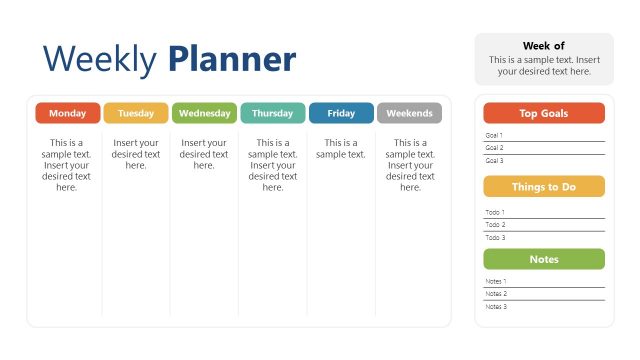
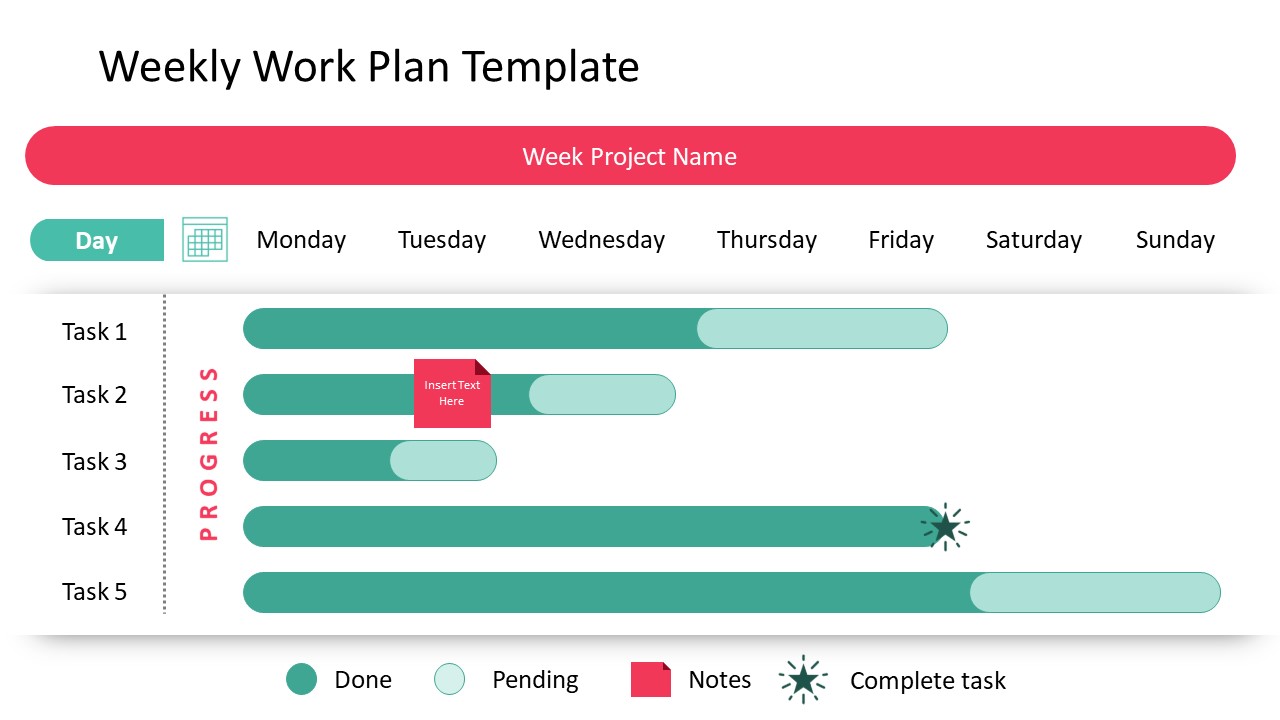
The Weekly Work Plan Template is a planner designed to show the progress of weekly tasks. The format of this workflow template looks like a horizontal bar graph, with multiple horizontal shapes representing the progress status of particular tasks. The slide contains the following sections on it, namely:
- A pink colored header strip that is to show the Project Name
- A row representing the days, beginning with a day name label and a calendar clipart icon
- A column showing the sequence of tasks that are planned to be completed in the week
- The central matrix consisting of bars against each task
- A legend on the bottom, which guides about the colors used in the track bars of the graph
The legend at the end of the slide will make it easier to read r. It has two dots15, one with dark green and the other with light green. These colors correspond to the completion and pending status of the task, respectively. It also has a notes icon, which refers to the notes being used at any task stage, and a glowing start symbol stands for a completed task.
The users can change the sizes and colors of the lines in the graph to set them according to their theme. They can also use notes and star symbols at any place of the weekly work plan template. The color scheme used in the template is attractive. But presenters can also change the colors and placement of other objects.
The Weekly Work Plan Template is a perfect tool for anyone who wants to present their weekly work diary. Professionals can design their weekly work plan and discuss it with their colleagues in a meeting. Teachers and students can also set their weekly goals and settle their plans through them. Weekly Plan PowerPoint Template can be edited in any version of PowerPoint and is available for Google Slides.
What’s inside this template
Example presentation scenarios
- A project manager can use the planner matrix to brief a team on which tasks are done, pending, or blocked during a weekly status meeting.
- A teacher can present the weekday columns and task rows to explain class activities, assignment checkpoints, and completion expectations for the week.
- An operations lead can use the horizontal progress bars and legend to compare workstream progress across Monday through Sunday.
- An individual professional can use the notes marker and completion star to summarize personal weekly priorities in a productivity review.
Features
- 100% editable presentation template
- Compatible with Microsoft PowerPoint and Google Slides
- 16:9 aspect ratio slides
- Scalable vector shapes, icons and illustrations
- AI-Ready for Microsoft Copilot and Claude
- Instant access and download
Frequently asked questions
Q: How should a presenter talk through this weekly planner without making it feel like a checklist?
A: Start with the Week Project Name header to set the context, then group task rows by priority or workstream before reviewing the bars. Explain the meaning of done, pending, notes, and completion symbols once using the legend. Focus discussion on changes, blockers, and decisions rather than reading every task label.
Q: Who is this template best suited for in a business or education setting?
A: This template fits presenters who need a compact weekly view rather than a detailed schedule. Team leads, project coordinators, teachers, students, and individual contributors can use the weekday matrix to align people around current tasks, visible progress, and immediate follow-up items within a short meeting.
Q: Why does the horizontal progress bar layout work well for weekly task communication?
A: The progress bar metaphor lets the audience read time and completion status in one scan. Task names stay on the left, days run across the top, and color differences separate done from pending work. The notes marker and completion star add exceptions without overcrowding the weekly grid.

Weekly Work Plan Template
1-slide weekly planner presentation template with task progress bars and status legend
The Weekly Work Plan Template is a 1-slide planning template for Microsoft PowerPoint and Google Slides. It shows a weekly planner matrix with weekday columns, task rows, horizontal progress bars, a note marker, completion star, and color-coded legend. It suits project leads, educators, and professionals reporting weekly task progress.
- Category
- Timelines & Planning
- Rating

 Loading...
- Aspect ratio
- 16:9
- Item ID
- 52005-02
- Colors
 Microsoft PowerPoint
 Microsoft Copilot
 Claude for PowerPoint
Other formats supported
Subscribe today and get immediate
access to download our PowerPoint templates.