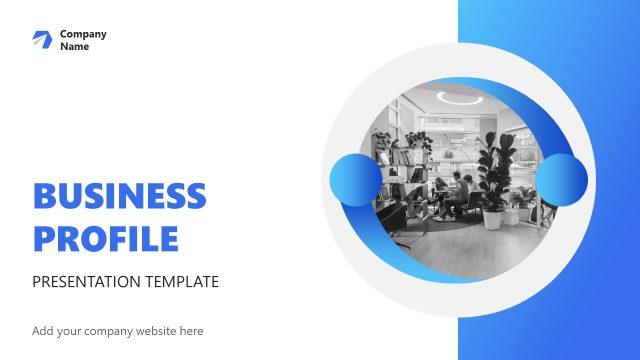
The Visio Business PowerPoint Template is a pre-design slide deck. It is a collection of multiple layout designs, diagrams, and charts for company profile overview and sale pitch. This template gives an insight into company’s objectives, services, and reports. The vision business theme has been designed according to latest presentation trends. It includes graphic designs to impress audience and potential clients. An appealing business PowerPoint template lays out business plans, models, statistical reports, and timelines for a wholesome picture.
The business templates could be used for various purposes in a range of industry types. These PowerPoint templates encapsulate all necessary information about the company. Such as company values, services, mission/vision, achievements, pricing plans, programs, and more. These pitch deck templates are visually appealing layouts to complement business information. Users can export these company profile PowerPoint templates in video format to showcase corporate portfolio. Similarly, upload template online as Google Slides Themes and embed it on the website.
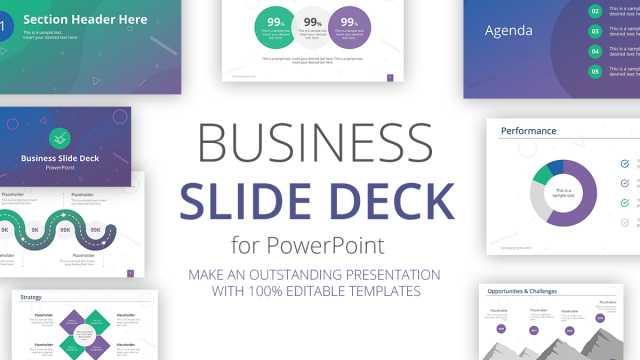
The organized structure of slides helps present a business roadmap to an executive audience. This Visio Business PowerPoint Template contains 17 slides to create a corporate profile storyline. These slides include:
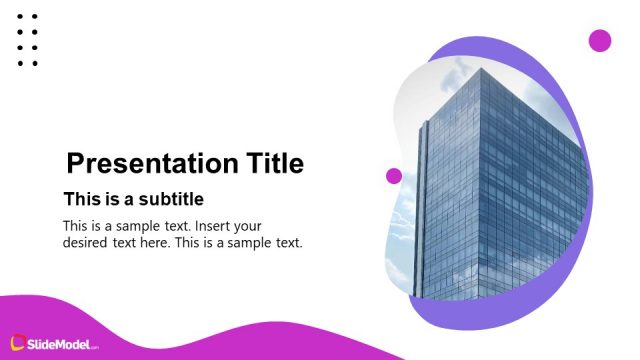
- Vision Business – Cover slide of a background image and PowerPoint shapes
- Who We Are and What We Do – Two slides of content placeholders with creative cutout images
- Mission and Vision – Three segments to highlight company vision, mission, and values
- Our Advantages – Clipart icons for a visual representation of benefits
- Market Opportunity – Onion diagram template for marketing model
- Market Size – four Data-driven donut charts
- Meet our team – Circular picture frames for team introduction
- Product and Demo – Two contents layout to highlight business services
- Business Model – 4 steps circular diagram
- Plans and Pricing – 4 column layout to highlight plan features and pricing
- Company Facts – custom data-driven chart for business performance report
- Data process – 5 steps data analysis diagram template
- Competitor Advantage – 5 sections of creative graphics
- SWOT – 4 steps SWOT analysis diagram PowerPoint
- 4Ps Analysis – 4 Steps circular diagram template for 4Ps Marketing
What’s inside this template
Example presentation scenarios
- A founder can use the cover, who we are, mission and vision, and team slides to introduce the company before asking investors or strategic partners for a follow-up meeting.
- A sales manager can present the product and demo slide, pricing table, and company facts chart to explain the offer and support a client buying decision.
- A marketing lead can use the market opportunity, market size, SWOT analysis, and 4Ps analysis layouts to frame a go-to-market discussion for executives.
- A consultant can adapt the data process and competitor advantages slides to map an assessment workflow and explain why a client should choose a specific strategic path.
Features
- 100% editable presentation template
- Compatible with Microsoft PowerPoint and Google Slides
- 16:9 aspect ratio slides
- Scalable vector shapes, icons and illustrations
- AI-Ready for Microsoft Copilot and Claude
- Instant access and download
Frequently asked questions
Q: How should a presenter structure the message with this deck?
A: Start with the cover and identity slides to establish who the company is, then move into market opportunity and market size to define why the business matters now. Use product and demo, business model, pricing, and company facts as proof. Close with SWOT and 4Ps only after the audience understands the offer and context.
Q: Who is this template best suited for in a business presentation?
A: This template fits presenters who need to introduce a company and sell a business case in the same meeting. Founders, sales leaders, and consultants can combine team profiles, product benefits, pricing, market sizing, and competitor advantages to address both credibility and decision criteria for clients, partners, or investors.
Q: Why do the circular diagrams and card layouts help the pitch?
A: The circular market opportunity, SWOT, business model, and 4Ps diagrams create simple visual groupings for concepts with equal weight or connected parts. The card-based pricing, advantages, and mission layouts keep comparisons aligned, so the audience can scan differences without losing the main argument.


Visio Business PowerPoint Template
17-slide business presentation template with SWOT, pricing, market size, and company profile layouts
The Visio Business PowerPoint Template is a 17-slide company profile and sales pitch deck for Microsoft PowerPoint and Google Slides. It includes mission and vision cards, market opportunity circles, donut chart market size, team profiles, pricing table, line chart company facts, data process flow, SWOT analysis, and 4Ps analysis for business presenters.
- Category
- Template Backgrounds
- Rating

 Loading...
- Aspect ratio
- 16:9
- Item ID
- 30083-01
- Colors
 Microsoft PowerPoint
 Microsoft Copilot
 Claude for PowerPoint
Other formats supported
Subscribe today and get immediate
access to download our PowerPoint templates.