Credit Card PowerPoint Templates
A presentation covering payment processing, consumer credit, or spending behavior needs an accurate credit card graphic rather than a generic rectangle standing in for the concept of payment. A credit card PowerPoint template supplies that specific icon and diagram set directly, with editable card graphics and payment flow diagrams instead of a stock photo of an unrelated card. Our credit card templates are built for financial services professionals and fintech teams who present payment-related content regularly.

E-commerce PowerPoint Template
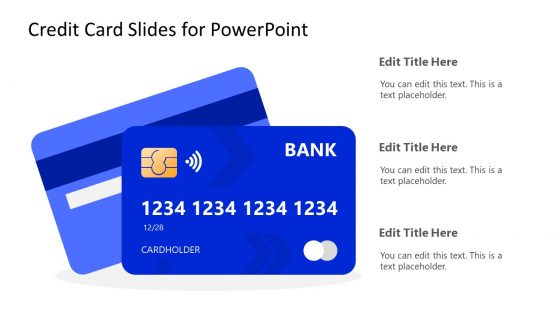
A Credit Card Icon Says More Than the Word ‘Payment’ Does
A slide about consumer spending, payment processing, or credit products communicates faster with a recognizable card graphic than with the word payment typed somewhere on the slide, since the visual triggers immediate recognition of the specific financial context. Credit card templates supply that recognizable graphic as an editable shape, letting presenters recolor and relabel it to match a specific card product or processing scenario rather than searching for a stock photo close enough to work. This distinction matters most in fintech pitches and financial product presentations, where the visual needs to signal the specific product category immediately to an audience evaluating several competing concepts in one sitting.
Teams presenting alongside a broader financial planning deck use the credit card graphics specifically for the sections addressing consumer credit or spending behavior within that larger financial picture.
What’s Included in a Credit Card PowerPoint Template
A credit card PPT template is a slide set built around editable card graphics, payment flow diagrams, and spending or credit data visualizations. A full set generally includes:
- Editable credit card graphics with customizable colors and branding
- Payment processing flow diagrams showing transaction steps
- Spending category breakdown charts
- Credit limit and utilization visualization slides
Where Credit Card Graphics Actually Get Used
Fintech product teams use the editable card graphic to mock up a new card product before the physical design is finalized, presenting the concept to stakeholders during early development. Financial educators use the payment flow diagram to teach consumers how a transaction actually moves between merchant, processor, and bank.
Personal finance content creators use the spending breakdown chart to illustrate budgeting concepts, and banks presenting new credit products to partners or regulators use the credit limit visualization to show how a proposed product structures utilization. Marketing teams at card issuers rely on Google Slides to quickly adjust card graphics when presenting rebranding concepts to internal stakeholders.
What is a credit card presentation template?
Fintech and consumer finance presentations often rely on editable card graphics and payment flow diagrams because generic dollar-sign icons don’t communicate how a transaction actually works.
How do I create a credit card PowerPoint template?
Start from an editable card graphic already structured, then recolor and relabel it to match your specific card product and add supporting payment or spending data.
Where can I find a free credit card PowerPoint template?
Our collection includes free and premium credit card layouts, covering editable card graphics, payment flow diagrams, and spending breakdown charts.
Are credit card templates suitable for consumer education content?
Yes. Financial educators and personal finance creators commonly use the payment flow and spending diagrams to teach consumers how credit and payment processing actually work.
Can the credit card graphic be branded with my company’s own card design?
Yes, the card shape’s color, logo placement, and text are all editable, so it can reflect your actual card design rather than a generic template look.
Do the payment flow diagrams cover both in-person and online transactions?
Yes, separate flow layouts are included for card-present and card-not-present transactions, since the steps differ meaningfully between the two.
Is the spending category breakdown chart limited to personal finance, or does it work for corporate card programs too?
It works for both; the category structure is generic enough to represent either personal spending habits or a corporate card program’s expense breakdown.