Slide 3 of 5 from SWOT Analysis Diagram PowerPoint Template
Creative SWOT Analysis Diagram PPT Slide
SWOT Analysis Quadrant for Presentations
- Diagram
- Matrix Quadrant
- Strategic Analysis Slide
- 16:9
- 100% Editable
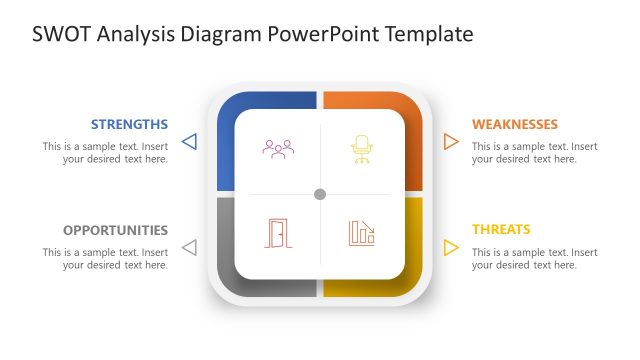
The SWOT Analysis Quadrant slide from the SWOT Analysis Diagram PowerPoint Template offers a clear, four-section layout to evaluate business strategies effectively. This slide template is designed for use in corporate presentations and strategic planning, featuring editable shapes and vector icons that visually distinguish strengths, weaknesses, opportunities, and threats. Its clean design supports team brainstorming sessions and educational presentations, making it a practical choice for creating structured slide decks focused on strategic analysis.
What’s on This Slide
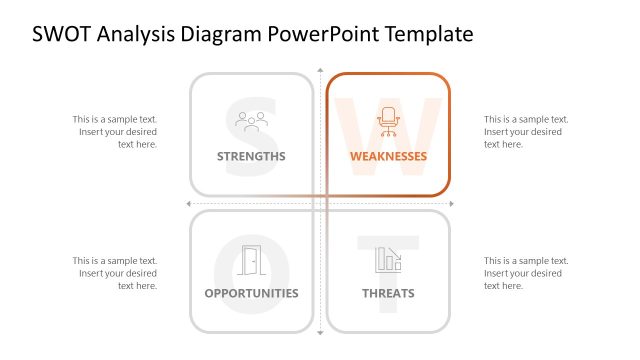
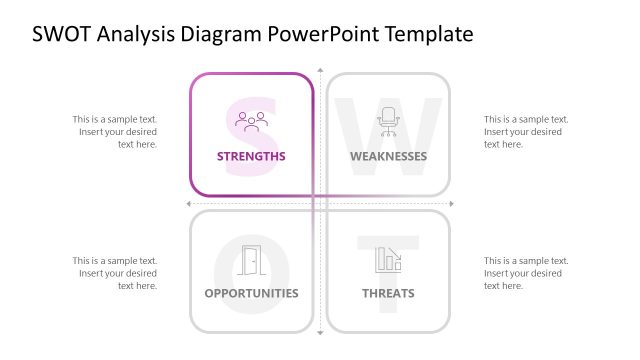
The slide features a four-quadrant layout, each labeled with Strengths, Weaknesses, Opportunities, and Threats. The quadrants are arranged in a square format with rounded corners. Each quadrant contains a placeholder for text, positioned centrally within the section. Icons representing each category are located above the text placeholders, with varying colors for visual distinction. The background is light, and the text is primarily dark, ensuring readability. There is a visual hierarchy with the quadrant titles emphasized in bold, while the body text is lighter.
How to Use It
This layout serves as a structured SWOT analysis tool, ideal for evaluating business strategies. It fits well in a presentation sequence following a problem identification slide and preceding strategic recommendations. This format is beneficial for business meetings, strategic planning sessions, and educational presentations where a clear analysis of strengths, weaknesses, opportunities, and threats is required. It can be used to guide discussions and decision-making processes effectively.
Text Placeholders & Capacity
Keep your copy within these limits so it fits without resizing. Body slots can accommodate roughly 8-10 words each.
| Placeholder | Count | Max characters (approx.) |
|---|---|---|
| Item heading | 4 | 20 |
| Item body | 4 | 50 |
Slide Keywords
Download unlimited PowerPoint templates, charts and graphics for your presentations with our annual plan.
DOWNLOADReturn to SWOT Analysis Diagram PowerPoint Template.