Slide 1 of 4 from Swimlane Flowchart PowerPoint Template
Editable Swimlane Flowchart Presentation Template
Swimlane Flowchart PowerPoint Template
- Diagram
- Swimlane
- Process Slide
- 16:9
- 100% Editable
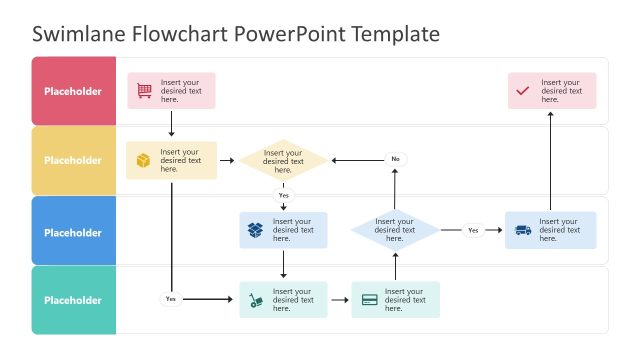
The Swimlane Flowchart slide from the Swimlane Flowchart PowerPoint Template offers a clear process visualization ideal for business presentations and project management. This slide template features editable shapes and vector icons arranged in horizontal lanes, facilitating effective workflow illustration and decision-making process mapping within a corporate presentation or pitch deck template.
What’s on This Slide
The layout features a swimlane flowchart with four horizontal lanes, each containing a placeholder for text. The top lane is red, the second is yellow, the third is blue, and the bottom lane is green. Flow arrows connect various shapes, including a diamond for decision points and rectangles for process steps. Each lane has a label placeholder aligned to the left. The overall background is dark blue, providing contrast to the colored lanes. Text placeholders are positioned centrally within shapes, indicating where content should be inserted.
How to Use It
This layout serves as a process flow diagram, ideal for illustrating workflows or decision-making processes. It fits well in presentations that require clarity in depicting sequential steps or choices. Common scenarios include project management, operational workflows, and process optimization discussions. This slide can be used to detail a specific process within a larger presentation, helping audiences understand complex interactions and decisions.
Text Placeholders & Capacity
Keep your copy within these limits so it fits without resizing. Node body slots can hold roughly 8-10 words each.
| Placeholder | Count | Max characters (approx.) |
|---|---|---|
| Item heading | 4 | 30 |
| Item body | 8 | 50 |
Slide Keywords
Download unlimited PowerPoint templates, charts and graphics for your presentations with our annual plan.
DOWNLOADReturn to Swimlane Flowchart PowerPoint Template.