Slide 2 of 13 from Stratum Business PowerPoint Template
Executive Summary PPT Slide Stratum Business Template
Executive Summary Slide for Business Presentations
- Text Layout
- Other
- Context Slide
- 16:9
- 100% Editable
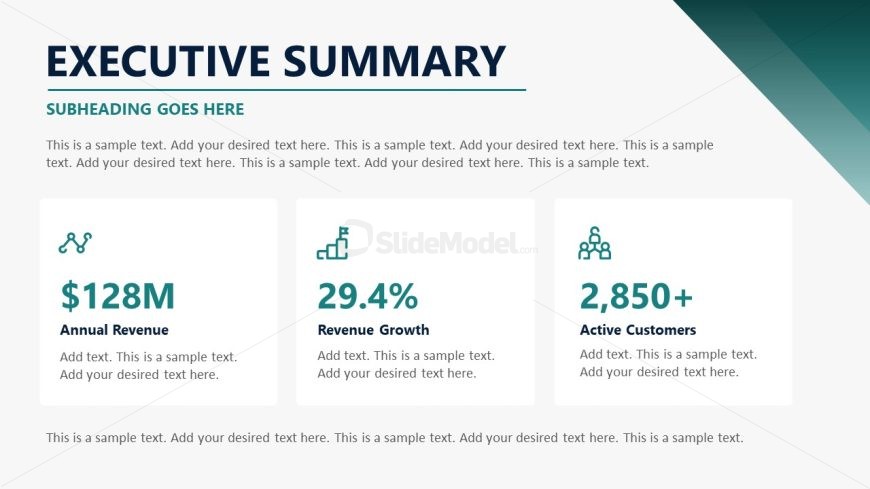
The Executive Summary Layout from the Stratum Business PowerPoint Template offers a clear format for presenting key business metrics and performance highlights. Designed for quarterly reviews and executive presentations, this slide features editable shapes and vector icons arranged to emphasize critical data. It integrates seamlessly into business presentation slide decks, providing a concise overview that supports effective communication with stakeholders.
What’s on This Slide
The layout features a top section with a title and subtitle, followed by a central area divided into three equal rectangular boxes. Each box contains an icon, a key metric, and a descriptive label. The boxes are arranged horizontally with equal spacing. Below the boxes, there is a wider text placeholder for additional information. The background is a light color with a dark green accent triangle on the right side. Text placeholders are aligned centrally within their respective boxes, emphasizing the visual hierarchy.
How to Use It
This layout serves as an executive summary, presenting key business metrics in a concise format. It fits well after introductory slides, summarizing essential data points for stakeholders. This structure is useful for quarterly reports, business reviews, or pitch presentations, allowing for quick comprehension of critical information. It can be adapted for various business contexts, such as revenue summaries or performance highlights.
Text Placeholders & Capacity
Keep your copy within these limits so it fits without resizing. Body slots can accommodate roughly 20-25 words each.
| Placeholder | Count | Max characters (approx.) |
|---|---|---|
| Slide title | 1 | 30 |
| Subtitle | 1 | 50 |
| Body paragraph | 1 | 200 |
| Item heading | 3 | 30 |
| Item body | 3 | 50 |
Slide Keywords
Download unlimited PowerPoint templates, charts and graphics for your presentations with our annual plan.
DOWNLOADReturn to Stratum Business PowerPoint Template.