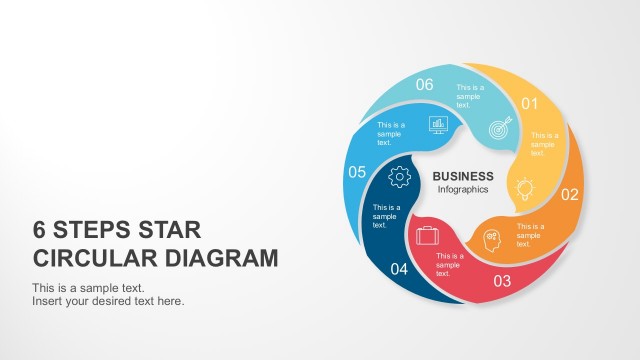
The Starbursting Brainstorming PowerPoint Template presents a brainstorming diagram. It is a 6 points arrow star PowerPoint shape that generates a series of questions. This 5 whys template contains three PowerPoint templates with text placeholders responding to starbursting questions. These slides initially provide definitions and purposes for asking all six brainstorming questions. However, users can edit text placeholders with content relevant to their discussion topics. Further, this concept diagram design template shows two PowerPoint background versions of starbursting brainstorming. It will help users copy the desired layout design that easily fits the existing presentation theme. These slides can be copied to Google Slides Themes for online team collaborations.
Do you know what brainstorming is? It is a creative teamwork technique to discuss ideas and conclude solutions. Starbursting is a type of Brainstorming tool for problem-solving and decision-making. Unlike the five whys technique, each section of the star generates a question and expands it to more related questions comprehensively. It encourages the development team to find solutions or innovative features creatively. In this way, the team can fully understand all aspects and options of the problem.
Starbursting Brainstorming PowerPoint Template is helpful as a part of product idea meetings. For example, it is introducing new features or models of a product. Similarly, this diagram could be applied to conceptual brainstorming sessions such as case studies. The six-point stars in 6 steps circular diagram are labeled as who, what, where, why, when, and how. Each question generates a flow of questions that the team answers. It leads to rational and focused planning of new ideas. This presentation template displays New APP in the middle of 6 steps star diagram. It suggests brainstorming ideas about smartphone applications. But it could be used for a variety of idea discussions.
Alternatively, you can download other brainstorming session templates for PowerPoint & Google Slides.
What’s inside this template
Example presentation scenarios
- A product manager can use the six-point starburst diagram to guide a new app discussion and collect who, what, where, why, when, and how questions before prioritizing work.
- A strategy consultant can use the boxed prompt layout to help a client team examine assumptions around timing, users, production, marketing, and profit margin.
- An innovation facilitator can use the dark-background version in a workshop to focus attention on one central concept while teams generate related questions around each arrow.
- A business analyst can use the radial question map to compare discovery questions across stakeholders before turning the responses into requirements.
Features
- 100% editable presentation template
- Compatible with Microsoft PowerPoint and Google Slides
- 16:9 aspect ratio slides
- Scalable vector shapes, icons and illustrations
- AI-Ready for Microsoft Copilot and Claude
- Instant access and download
Frequently asked questions
Q: How should a presenter run a starbursting discussion with this template?
A: Start with one clear idea in the center, such as the visible NEW APP example, and move around the six arrows one category at a time. Ask participants to generate questions before trying to answer them. The boxed versions work well when the presenter wants to group and refine prompts during the session.
Q: Who is this template best suited for?
A: It fits product managers, facilitators, consultants, and analysts who need to slow a team down before committing to a solution. The six-question structure is strongest when a concept is still open for investigation, such as a new feature, service model, market test, or process improvement idea.
Q: Why does the starburst metaphor help communication?
A: The starburst places the idea at the center and shows the questions expanding outward, which reinforces exploration rather than immediate decision making. Color-coded arrows make each question category distinct, while the surrounding text areas keep the discussion tied to practical issues like users, timing, production, and profit.


Starbursting Brainstorming PowerPoint Template
3-slide presentation template for starbursting brainstorming diagrams and six-question problem solving.
The Starbursting Brainstorming PowerPoint Template is a 3-slide diagram deck for guided ideation. It includes a six-point starburst question diagram, radial question prompts, and light or dark boxed layouts for who, what, where, why, when, and how. It is built for strategy teams in PowerPoint and Google Slides.
- Category
- Strategy
- Rating

 Loading...
- Aspect ratio
- 16:9
- Item ID
- 20519-01
- Colors
 Microsoft PowerPoint
 Microsoft Copilot
 Claude for PowerPoint
Other formats supported
Subscribe today and get immediate
access to download our PowerPoint templates.