Interview questions can be tricky. Depending on the complexity of job requirements, the employer may request more than one interview in the hiring process. Different types of interviews help assess a candidate’s qualifications for the job, such as screening, on-site testing, and behavioral and stress interviews. Each type of interview presentation includes techniques and strategies to conduct assessments, especially in the case of behavioral analysis, where questions are more challenging, and the candidate has to think on the spot. STAR method has been introduced for a structural approach to behavioral questions.
STAR stands for:
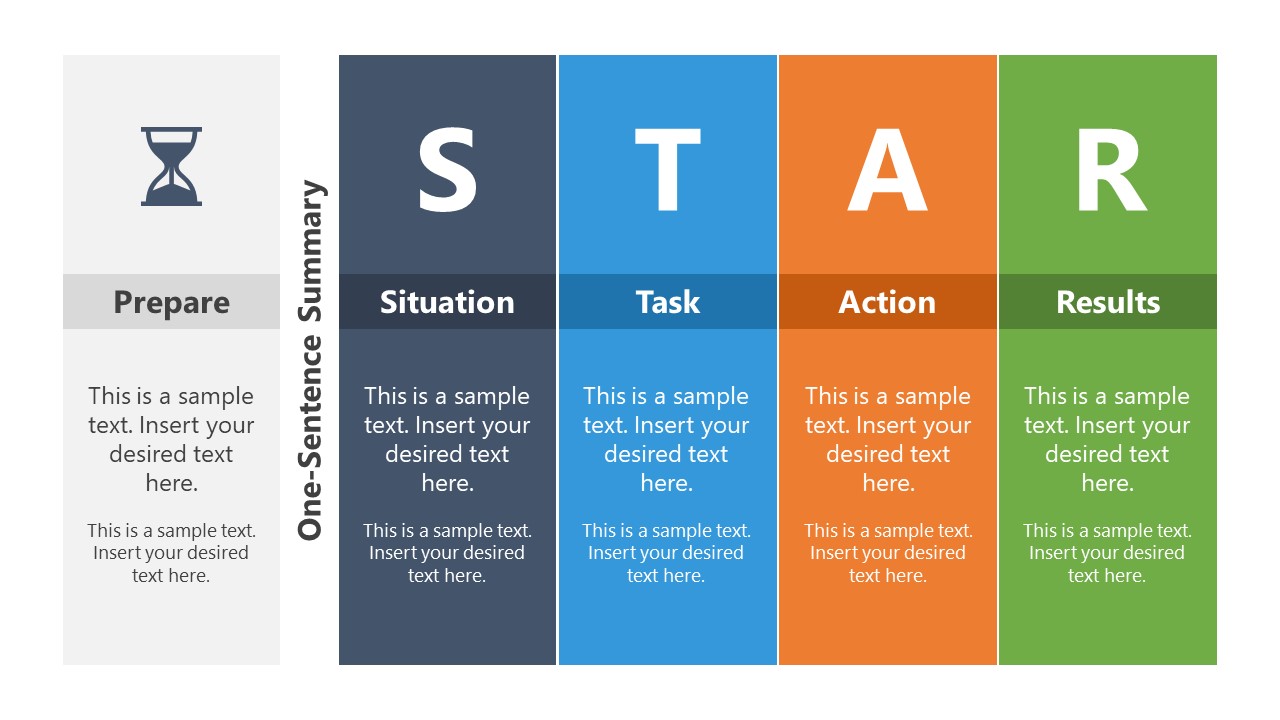
- Situation – Describe the background and context of the situation. These are the details from past work experience on specific tasks.
- Task – Details of responsibility, goals, and challenges
- Action – It involves steps taken to address the situation and highlight your contribution
- Result – Explain the impact of actions and lessons learned
STAR method is a great way to prepare for difficult behavioral interviews. The structural approach to answering questions shows the interviewer that the candidate is focused. Moreover, it gives the impression that the applicant can make decisions under pressure.
The STAR Interview Method PowerPoint Template includes 4 slide layout design variations. These include columns, tabular, and matrix diagram templates. PowerPoint templates use different color codes and clipart icons to visualize the 4 steps of the STAR method. These are editable PowerPoint shapes and colors. The users can change these objects or personalize themes according to their interview or resume presentations.
As a part of interview presentations, the STAR Interview Method PowerPoint Template will help communicate competency-based experience. Likewise, the diagram of STAR could be used to train and educate job seekers to ace their interviews. Alternatively, you can download other interview presentation templates for PowerPoint & Google Slides or learn more how to give an interview presentation.
What’s inside this template
Example presentation scenarios
- A career coach can train job seekers to build concise behavioral answers by filling the one-sentence summary columns on Slide 1 before expanding each STAR step.
- A recruiter or HR trainer can teach competency-based interviewing by using the four-column matrix on Slide 2 to compare the purpose, prompt, and expected evidence for each response part.
- A job candidate can prepare an interview presentation by using the 2x2 matrix on Slide 3 to separate background context, responsibility, personal action, and measurable outcome.
- A university career services presenter can summarize the STAR framework in a workshop by using the quadrant hub diagram on Slide 4 as a visual recap.
Features
- 100% editable presentation template
- Compatible with Microsoft PowerPoint and Google Slides
- 16:9 aspect ratio slides
- Scalable vector shapes, icons and illustrations
- AI-Ready for Microsoft Copilot and Claude
- Instant access and download
Frequently asked questions
Q: How should a presenter use this template to teach a stronger behavioral interview answer?
A: Start with the one-sentence summary layout to force a concise answer before adding detail. Then move to the four-column matrix to explain what belongs in Situation, Task, Action, and Results. This sequence helps candidates avoid rambling because each section has a defined job in the answer.
Q: Who benefits most from this STAR method template?
A: This template fits career coaches, HR trainers, recruiters, and job candidates who need a repeatable structure for competency-based interview responses. It is especially useful when the audience already understands the job context but needs help organizing examples into a clear Situation, Task, Action, and Results flow.
Q: Why do the matrix and quadrant layouts work well for the STAR method?
A: The STAR framework is a four-part structure, so the equal columns, 2x2 matrix, and quadrant hub make the method easy to scan. Color-coding separates the steps without changing their weight, while the central STAR label on the hub slide reinforces the acronym as the organizing metaphor.


STAR Interview Method PowerPoint Template
4-slide STAR interview method presentation template with behavioral interview matrix and column diagrams
STAR Interview Method PowerPoint Template is a 4-slide presentation template for explaining behavioral interview answers through the Situation, Task, Action, and Results framework. It includes a one-sentence summary column layout, four-column matrix, 2x2 matrix, and quadrant hub diagram for job seekers, coaches, recruiters, and trainers using PowerPoint or Google Slides.
- Category
- Models
- Rating


 Loading...
- Aspect ratio
- 16:9
- Item ID
- 20579-01
- Colors
 Microsoft PowerPoint
 Microsoft Copilot
 Claude for PowerPoint
Other formats supported
Subscribe today and get immediate
access to download our PowerPoint templates.