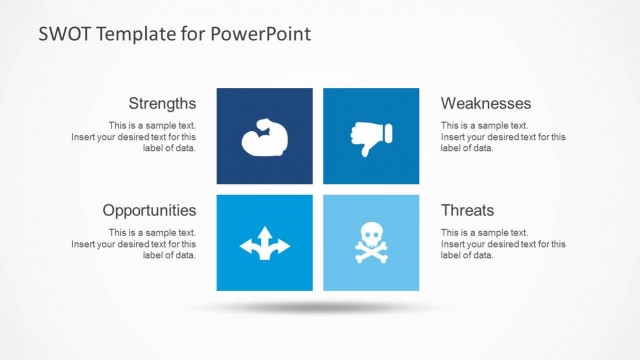
Slide 7 of 9 from Simple SWOT PowerPoint Template
6184-01-swot-template-powerpoint-7
Weaknesses Analysis Slide for SWOT Presentation
- Diagram
- Matrix Quadrant
- Strategic Analysis Slide
- 16:9
- 100% Editable
The Weaknesses Analysis slide from the Simple SWOT PowerPoint Template offers a clear, organized layout ideal for internal analysis and strategic planning. This slide template includes editable shapes and vector icons to visually represent challenges within a business presentation or slide deck. It supports concise communication of weaknesses during team discussions, making it a practical choice for corporate presentations focused on SWOT analysis.
What’s on This Slide
The slide features a left-aligned title labeled 'Weaknesses' in a bold font. Below the title, there are two text placeholders: one for a brief description and another for detailed content, both centered in the layout. To the left, there are three icons representing different aspects of weaknesses, arranged vertically. The icons include a thumbs down, a hand with a fist, and arrows indicating directionality. The background is predominantly light with a blue header section. The overall layout emphasizes clarity and organization.
How to Use It
This layout serves as a dedicated section for analyzing weaknesses in a SWOT analysis. It fits within a presentation that sequentially addresses strengths, weaknesses, opportunities, and threats. This slide is useful for business assessments, strategic planning sessions, or team discussions focused on identifying internal challenges. It allows for concise presentation of weaknesses while maintaining visual coherence with other SWOT components.
Text Placeholders & Capacity
Keep your copy within these limits so it fits without resizing. Body slots can accommodate roughly 15-20 words each.
| Placeholder | Count | Max characters (approx.) |
|---|---|---|
| Slide title | 1 | 30 |
| Body paragraph | 2 | 100 |
Slide Keywords
Download unlimited PowerPoint templates, charts and graphics for your presentations with our annual plan.
DOWNLOADReturn to Simple SWOT PowerPoint Template.