Generate a fact-filled presentation using the SEO Circular Diagram Template for PowerPoint. Use the helpful diagrams to show an overview of the presentation and easily connect the content for maximum distribution of information. The presenter can also download other PowerPoint templates from the Slide Model Gallery, like the Flat SEO PowerPoint Template.
The PowerPoint template features SEO. The term means Search Engine Optimization. It refers to the process of using content customization and specifically-designed features to affect the frequency of a website’s visibility in search engines. This is an unpaid feature, meaning, it does not rely on paid advertisements, that ranks a website high on a search results page. In theory, by using SEO, the website can increase the number of viewers by merely designing their articles, graphics, videos, and other types of media to be tuned to predetermined keywords and other elements.
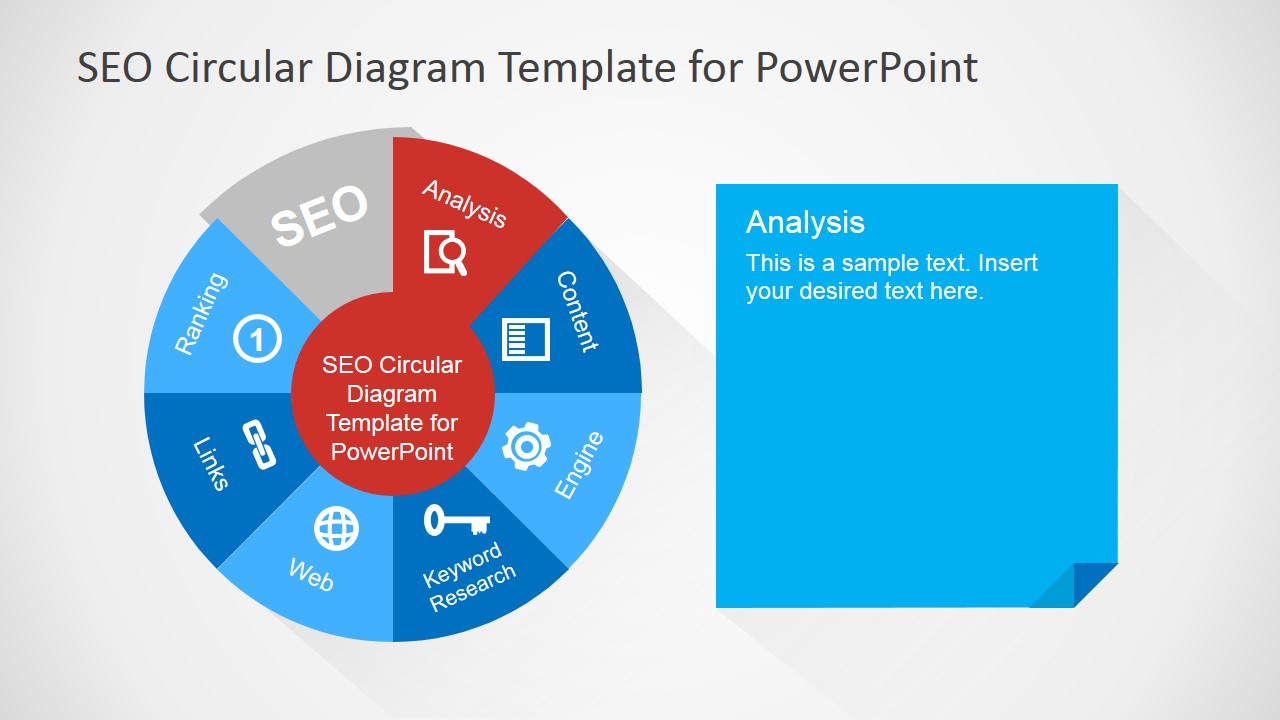
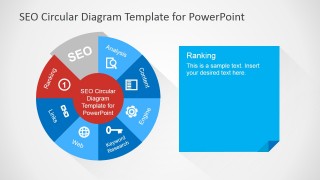
Featured on the slide designs is a pie chart that shows seven features which are taken into account during SEO. These are ranking, analysis, web, engine, links, content, and keyword search. Merely having good content is not enough to become a successful website, although it does help. Webmasters and administrators also have to take these seven elements into account. By analyzing their content, and tweaking them to suit SEO standards, the website can already gain the benefits through increased probability of website visibility to certain types of viewers.
The template uses the pie chart as a guide. The presenter can utilize the red highlight to showcase a certain part of the presentation, one at a time. This gives the presenter time to fully discuss the topic without bombarding the audience with all the information simultaneously.
Most suitable for business presentations detailing the benefits and specifics of search engine optimization, the SEO Circular Diagram Template for PowerPoint can also be reused in other presentations. The presenter can also take advantage of the fact that the different PowerPoint objects in the design are 100% customizable, allowing the presenter to make the report more fit to the specific audience.
What’s inside this template
Example presentation scenarios
- An SEO consultant can use the circular SEO cycle to explain how ranking, content, links, and keyword research work together during a client strategy meeting.
- A digital marketing manager can use the highlighted factor callout slides to assign ownership for analysis, web, engine, and content tasks in a website optimization plan.
- A trainer can use the factor-by-factor red highlight sequence to teach beginners one SEO concept at a time without showing all detail at once.
- A content strategist can use the icon grid and circular diagram to align writers, analysts, and web teams around a shared SEO vocabulary.
Features
- 100% editable presentation template
- Compatible with Microsoft PowerPoint and Google Slides
- 16:9 aspect ratio slides
- Scalable vector shapes, icons and illustrations
- AI-Ready for Microsoft Copilot and Claude
- Instant access and download
Frequently asked questions
Q: How should a presenter explain the SEO cycle without overwhelming the audience?
A: Start with the overview slide to frame SEO as a connected system, not a checklist. Then move through the highlighted factor slides and spend one beat on each red segment. Keep the blue note panel focused on one decision, action, or risk so the audience can connect each factor back to search visibility.
Q: Who is this template best suited for in a business presentation?
A: This template fits SEO consultants, marketing managers, content leads, and trainers who need to explain search optimization concepts to non-specialists. It works best when the goal is to align a team around the main SEO factors before discussing tasks, audits, or recommendations in a separate plan.
Q: Why does the circular metaphor work for an SEO topic?
A: The circular diagram shows SEO as an ongoing system where ranking, analysis, content, web structure, engine factors, links, and keyword research influence one another. The red segment highlight directs attention while preserving the full context, which helps audiences understand that optimizing one factor affects the broader search strategy.







SEO Circular Diagram Template for PowerPoint
8-slide SEO diagram presentation template with circular cycle, factor callouts, and vector icons
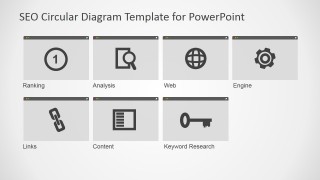
SEO Circular Diagram Template for PowerPoint is an 8-slide diagram template for explaining search engine optimization factors. It includes a circular SEO cycle, seven highlighted segment callout slides, and a separate icon grid for ranking, analysis, web, engine, links, content, and keyword research. It is for Microsoft PowerPoint and Google Slides.
- Category
- Diagrams
- Rating


 Loading...
- Aspect ratio
- 16:9, 4:3
- Item ID
- 6668-01
- Colors
 Microsoft PowerPoint
  Microsoft Copilot
  Claude for PowerPoint
 Other formats supported
Subscribe today and get immediate
access to download our PowerPoint templates.