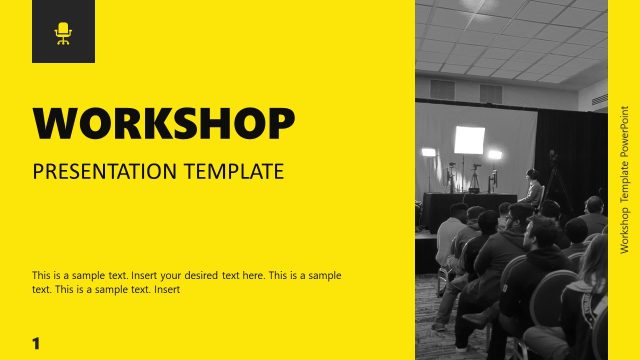
Download our Seminar Presentation Template to prepare an interactive presentation for your professional or academic seminars. The seminar is a gathering where subject matter specialists discuss a topic or issue. Seminars usually cover a single topic, and the number of attendees is smaller. These can be of any nature, i.e., corporate, academic, or scientific, based on the subject of discussions. The seminars are often called webinars when conducted online. We have designed this animated seminar presentation template to simplify the process for professionals to prepare the visuals of their sessions. So, they can download these slides, insert the relevant key points in the provided text boxes, and prepare their presentations quickly. The color scheme, fonts, and images are easily changed according to the requirements.
This Seminar Presentation Template has a bright color theme with abstract visuals used in multiple places on the slides. It begins with a cover slide followed by an introduction slide showing the overview and purpose of the seminar. Likewise, the following pages showcase the seminar’s agenda and the objectives of the discussion, which are mentioned in the form of key points with titles. Users can use the background information slide carrying an image placeholder to add information about the topic’s basics under discussion. Also, the next slide is about the key concept, it has a semi-circular diagram with three circle shapes having icons, used to represent the core idea, principle, and framework. Users can also edit the text headings of this diagram and modify it accordingly. The data and analytics slide has a data-driven bar graph with two pie charts showing the percentage format of data represented by the graph.
Further, this seminar PPT slide provides slides for presenting the case study, a summary of the seminar, and the conclusion in the form of a timeline. The last two slides are for Q&A and contact details. Thus, this presentation template can help create comprehensive presentations for seminars and webinars. Try it for your upcoming session now! Also, check our collection of case study PPT templates and objective slides.
What’s inside this template
Example presentation scenarios
- A university lecturer can use the objectives slide, key concept diagram, and conclusion timeline to introduce a topic, teach its main framework, and close with clear takeaways.
- A corporate trainer can present a workshop agenda, background information, and summary slide to keep participants oriented through a skills or policy session.
- A consultant can use the data and analysis slide and case study page to explain evidence, discuss a client scenario, and connect findings to recommendations.
- A webinar host can use the introduction, Q&A, and contact information slides to open the session, invite audience questions, and provide follow-up details.
Features
- 100% editable presentation template
- Compatible with Microsoft PowerPoint
- 16:9 aspect ratio slides
- Scalable vector shapes, icons and illustrations
- Ready with Animations & Transitions in PowerPoint
- AI-Ready for Microsoft Copilot and Claude
- Instant access and download
Frequently asked questions
Q: How should a presenter structure the seminar message with this deck?
A: Start with the title and introduction to define the session promise, then use the objectives and agenda slides to tell the audience what they will learn. Keep the key concept slide focused on one framework, use the data and case study slides as proof, and reserve the summary, conclusion, and Q&A slides for retention and discussion.
Q: Who is this template best suited for?
A: This template fits instructors, trainers, consultants, and subject matter experts who need to explain one topic in a focused session. It works best when the presenter has learning objectives, a core concept, supporting data, and a case example. The Q&A and contact slides also suit webinars and smaller professional seminars.
Q: Why do the circular shapes and staged layouts help the audience follow the session?
A: The large circular image crops create continuity from the cover through the Q&A and contact slides, while the numbered agenda arc and conclusion timeline show progress. The design separates teaching content into objective lists, concept diagrams, and evidence slides, so the audience can see where they are in the session and why each part matters.


Seminar Presentation Template
12-slide seminar presentation template with agenda, objectives, data analysis, and Q&A layouts
Seminar Presentation Template is a 12-slide Microsoft PowerPoint deck for structured seminars, lectures, and webinars. It includes a cover, introduction, objectives list, agenda arc, key concept diagram, data analysis dashboard, case study page, conclusion timeline, Q&A slide, and contact information. The chart data can be edited as an Excel spreadsheet in PowerPoint.
- Category
- PowerPoint Themes
- Rating

 Loading...
- Aspect ratio
- 16:9
- Item ID
- 77103-01
- Colors
 Microsoft PowerPoint
 Microsoft Copilot
 Claude for PowerPoint
Other formats supported
Subscribe today and get immediate
access to download our PowerPoint templates.