Slide 6 of 6 from Scrum Diagrams for PowerPoint
6164-02-scrum-framework-6
Scrum Cycle Workflow Diagram for Presentations
- Diagram
- Process Flow
- Process Slide
- 16:9
- 100% Editable
The Scrum Cycle Workflow slide from the Scrum Diagrams for PowerPoint template visually outlines the iterative process of Agile project management. This slide template uses editable shapes and vector icons to clearly depict the flow from product backing through sprint cycles to new product development, making it suitable for business presentations and Scrum training sessions. Its design supports effective communication in corporate presentations and pitch deck templates focused on team workflows and Agile methodologies.
What’s on This Slide
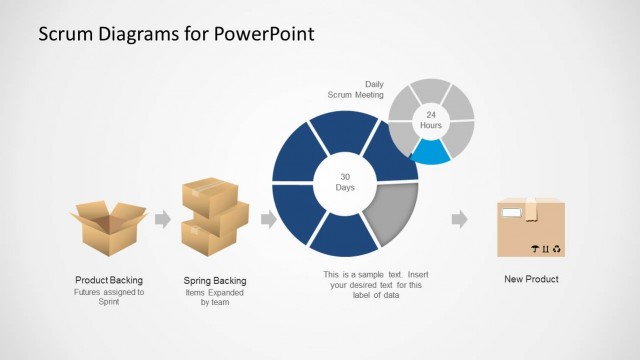
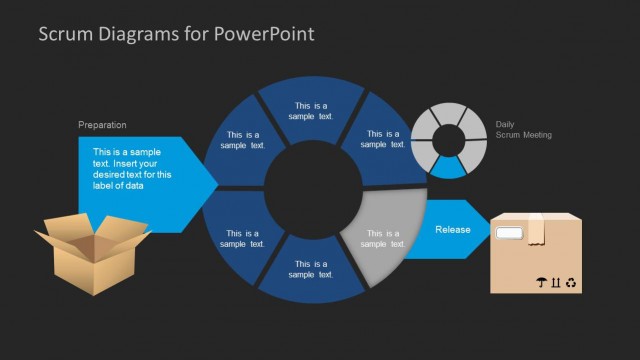
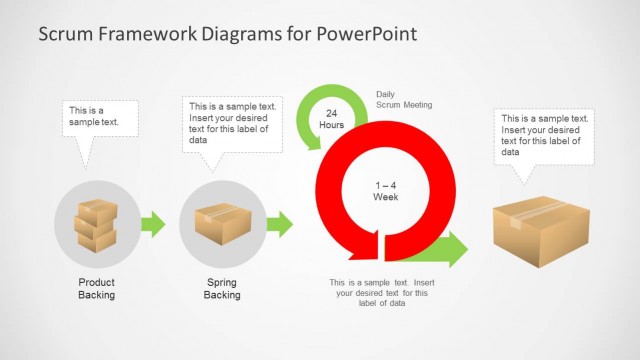
The slide features a central circular diagram divided into segments, indicating a Scrum cycle. The left side displays two boxes representing 'Product Backing' and 'Spring Backing,' with arrows indicating flow. To the right, a box labeled 'New Product' is positioned. The circular diagram includes labels for '30 Days' and '24 Hours,' with a placeholder for additional text in the center. The background is dark, providing contrast to the light-colored elements, and the overall layout emphasizes a clear flow from left to right.
How to Use It
This layout serves as a visual representation of the Scrum cycle, illustrating the flow from product backing to new product development. It fits well in presentations discussing Agile methodologies or project management processes. This structure is useful for Scrum Masters and product owners to explain workflows in team meetings or training sessions. It can effectively summarize the iterative nature of Scrum and the importance of daily meetings in the development process.
Text Placeholders & Capacity
Keep your copy within these limits so it fits without resizing. Node labels can hold about 5-6 words each.
| Placeholder | Count | Max characters (approx.) |
|---|---|---|
| Item heading | 3 | 30 |
| Item body | 1 | 50 |
| Chart title | 1 | 40 |
Slide Keywords
Download unlimited PowerPoint templates, charts and graphics for your presentations with our annual plan.
DOWNLOADReturn to Scrum Diagrams for PowerPoint.