Acknowledge selected candidates for student scholarships by using this creative Scholarship Certificate PowerPoint Template. A certificate is a formal appreciation of someone’s efforts and hard work. Certificates are used to acknowledge the dedication of employees, students, and other people. Scholarship Certificates are documents that educational institutes use to present the award given to a student with excellent qualifications in academics and soft skills to continue their studies in the institution. That can be either for a total fee coverage or a partial scholarship. We have crafted this best PPT template for educational institutes and colleges to award scholarship certificates to students.
The Scholarship Certificate PowerPoint Template is compatible with Google Slides and Keynote. User can repurpose the template according to their requirements. This editable presentation template can also be altered to a certificate of achievement for company employees or managers. If a university has awarded an educational scholarship or financial scholarship to local or international students, they can officially present the certificate to them using our scholarship certificate template. Moreover, they can also change the colors and other features of the template according to their choice.
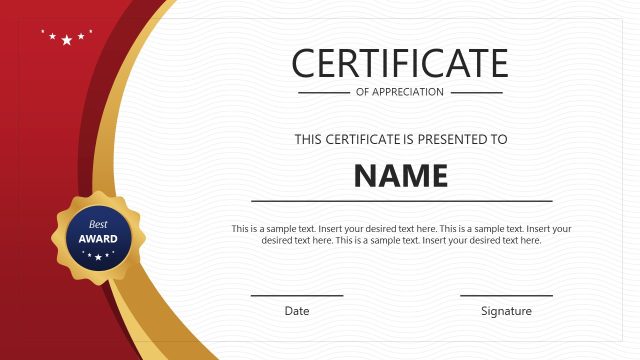
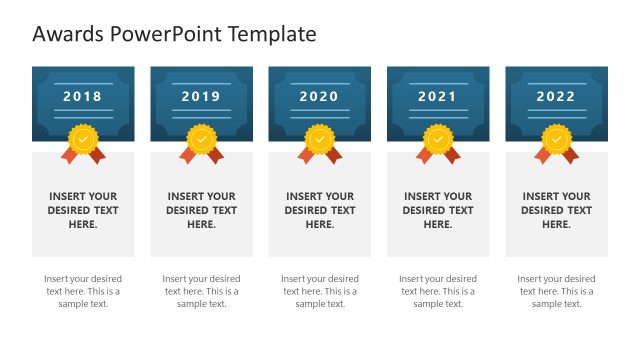
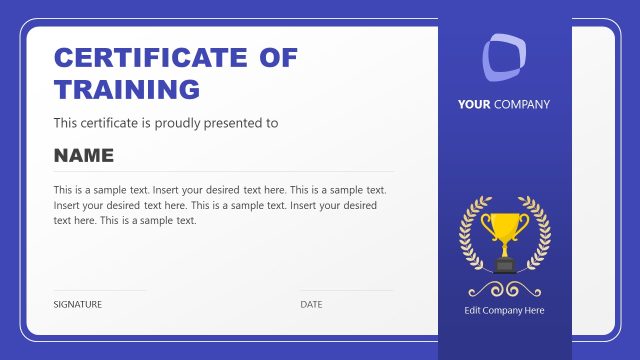
There are four slides in the template; all have similar PPT elements but have differences in their arrangement and colors. The first slide has a brown ribbon with a ‘Best Award’ badge containing stars. Presenters can mention the certificate holder’s name, certificate type, and a small descriptive text about the certification in the slide template. Next, we have provided two lines to display the date and signature of the presenter. In the following slides, the same elements are provided but with different background colors and arrangements. Grab this template and make the certificates you need!
What’s inside this template
Example presentation scenarios
- A scholarship coordinator can prepare certificates for an award ceremony by entering each student's name and using the award badge, date line, and signature field as formal validation cues.
- A university department chair can present financial aid recognition to selected students using the bordered certificate layout with recipient details and a centered seal.
- A school principal can create academic achievement certificates by adapting the scholarship title, body text, ribbon badge, and signature lines for student recognition events.
- A training program manager can recognize participants with the certificate frame and Best Award seal while replacing the scholarship wording with completion or excellence language.
Features
- 100% editable presentation template
- Compatible with Microsoft PowerPoint and Google Slides
- 16:9 aspect ratio slides
- Scalable vector shapes, icons and illustrations
- AI-Ready for Microsoft Copilot and Claude
- Instant access and download
Frequently asked questions
Q: How should a presenter make the certificate feel official during a scholarship ceremony?
A: Keep the recipient name as the visual center, then support it with a short award statement, date, and signature. The badge and ribbon should confirm the recognition, not compete with the name. During the ceremony, display one certificate at a time or export each slide as a printable certificate for distribution.
Q: Who is this certificate template best suited for?
A: It is best suited for schools, colleges, universities, scholarship foundations, and training programs that need a formal recognition artifact. The visible layouts already include the core elements award committees expect: certificate title, recipient name, brief citation text, award seal, date, and signature area.
Q: Why do the badge, ribbon, border, and signature lines improve the certificate design?
A: These elements signal authenticity and ceremony. The border frames the document, the ribbon and badge create an award metaphor, and the date and signature fields add institutional authority. The soft background keeps the design formal while leaving the recipient name and certificate title easy to read.


Scholarship Certificate PowerPoint Template
4-slide scholarship certificate presentation template with award badges, ribbons, date and signature fields
The Scholarship Certificate PowerPoint Template is a 4-slide certificate deck for education awards and recognition. It includes landscape certificate frames, award badges, ribbon seals, recipient name fields, body text, and date and signature lines. It is built for Microsoft PowerPoint and Google Slides.
- Category
- Shapes
- Rating

 Loading...
- Aspect ratio
- 16:9
- Item ID
- 21961-01
- Colors
 Microsoft PowerPoint
 Microsoft Copilot
 Claude for PowerPoint
Other formats supported
Subscribe today and get immediate
access to download our PowerPoint templates.