Slide 1 of 7 from Sacramento California PowerPoint Template
Cover Slide – Sacramento California PPT Slide Template
Sacramento California Skyline Presentation Slide
- Media Layout
- Full Bleed Image
- Context Slide
- 16:9
- 100% Editable
The Sacramento California Skyline slide from the Sacramento California PowerPoint Template offers a visually engaging introduction ideal for business presentations or pitch decks focused on city development and tourism. Featuring a full-bleed image of the city skyline with editable shapes and text placeholders, this slide supports clear communication of local initiatives and urban features within professional slide templates.
What’s on This Slide
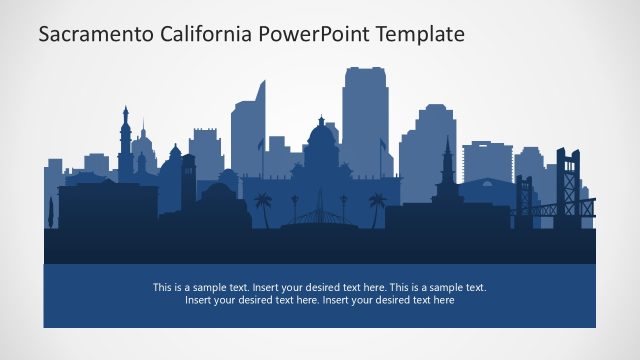
The slide features a silhouette of Sacramento's skyline at the top, showcasing various iconic buildings in dark blue against a lighter background. Below the skyline, there are two text placeholders aligned left and right. The first placeholder contains the title 'Sacramento' in a large, bold font, while the second placeholder has a smaller font for additional text. The overall layout emphasizes the skyline imagery, creating a visual hierarchy that draws attention to the title and the city representation. The bottom section is a solid dark blue, providing contrast to the skyline above.
How to Use It
This layout serves as an introductory slide, ideal for presentations focusing on Sacramento, California. It can effectively introduce topics such as city development, tourism, or local initiatives. Positioned at the beginning of a presentation, it sets the context for subsequent slides that may delve into specific aspects of the city. This slide is suitable for business meetings, educational presentations, or marketing pitches related to the city or its features.
Text Placeholders & Capacity
Keep your copy within these limits so it fits without resizing. Body slots can hold approximately 25-30 words each.
| Placeholder | Count | Max characters (approx.) |
|---|---|---|
| Slide title | 1 | 30 |
| Body paragraph | 2 | 150 |
Slide Keywords
Download unlimited PowerPoint templates, charts and graphics for your presentations with our annual plan.
DOWNLOADReturn to Sacramento California PowerPoint Template.