Slide 2 of 2 from Reverse Brainstorming PowerPoint Template
Reverse Brainstorming Presentation Slide Template
Reverse Brainstorming Canvas PowerPoint Template
- Text Layout
- Other
- Process Slide
- 16:9
- 100% Editable
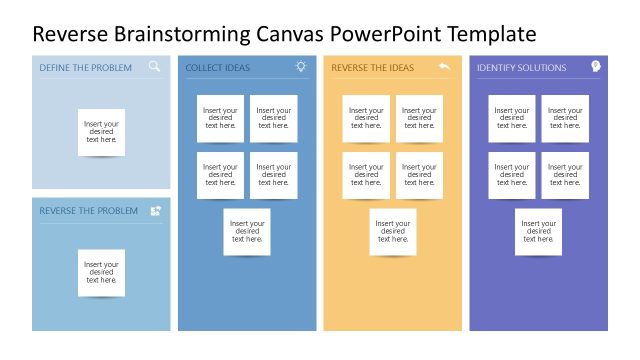
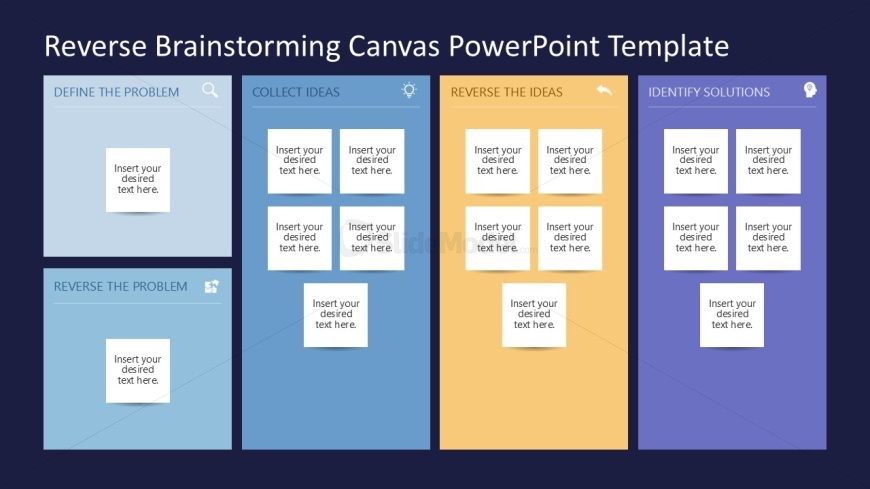
The Reverse Brainstorming Canvas slide from the Reverse Brainstorming PowerPoint Template offers a structured layout ideal for business presentations and strategic planning. Featuring four distinct sections for problem definition, idea collection, reversal, and solution identification, this slide supports collaborative workshops with editable shapes and text placeholders. Its clear visual hierarchy and color-coded design enhance focus, making it a practical choice within slide decks aimed at problem-solving and idea generation.
What’s on This Slide
The layout consists of four vertical sections labeled 'Define the Problem,' 'Collect Ideas,' 'Reverse the Ideas,' and 'Identify Solutions.' Each section contains multiple text placeholders arranged in a grid format. The placeholders are evenly spaced and aligned centrally within their respective sections. The background is a dark color, providing contrast to the light-colored sections. Each section has a distinct color: light blue, blue, orange, and purple. The visual hierarchy emphasizes the section titles, which are larger and bolder than the text placeholders, guiding the viewer's focus.
How to Use It
This layout serves as a structured brainstorming tool, ideal for guiding teams through a reverse brainstorming process. It fits well in a presentation sequence focused on problem-solving and idea generation. This structure is useful in workshops or meetings where participants need to define problems, collect ideas, and identify solutions collaboratively. It can also be applied in strategic planning sessions to explore various perspectives on challenges and opportunities.
Text Placeholders & Capacity
Keep your copy within these limits so it fits without resizing. Node slots can accommodate roughly 5-6 words each.
| Placeholder | Count | Max characters (approx.) |
|---|---|---|
| Slide title | 1 | 30 |
| Item body | 12 | 30 |
Slide Keywords
Download unlimited PowerPoint templates, charts and graphics for your presentations with our annual plan.
DOWNLOADReturn to Reverse Brainstorming PowerPoint Template.