Reverse Brainstorming PowerPoint Template
If your team is going to have a reverse brainstorming session to overcome creative blocks and derive innovative solutions, then this Reverse Brainstorming PowerPoint Template is a great choice to make it even more interesting. Teams actively use reverse brainstorming to find solutions that are difficult to find through direct procedures and to identify hidden risks. It involves reversing the whole situation, i.e., problem statement, ideas, and thoughts that come up when thinking about it. It helps reach a conclusion that is even more effective than teams could have imagined. It is especially used when testing a new application or a competitive strategy for brand building.
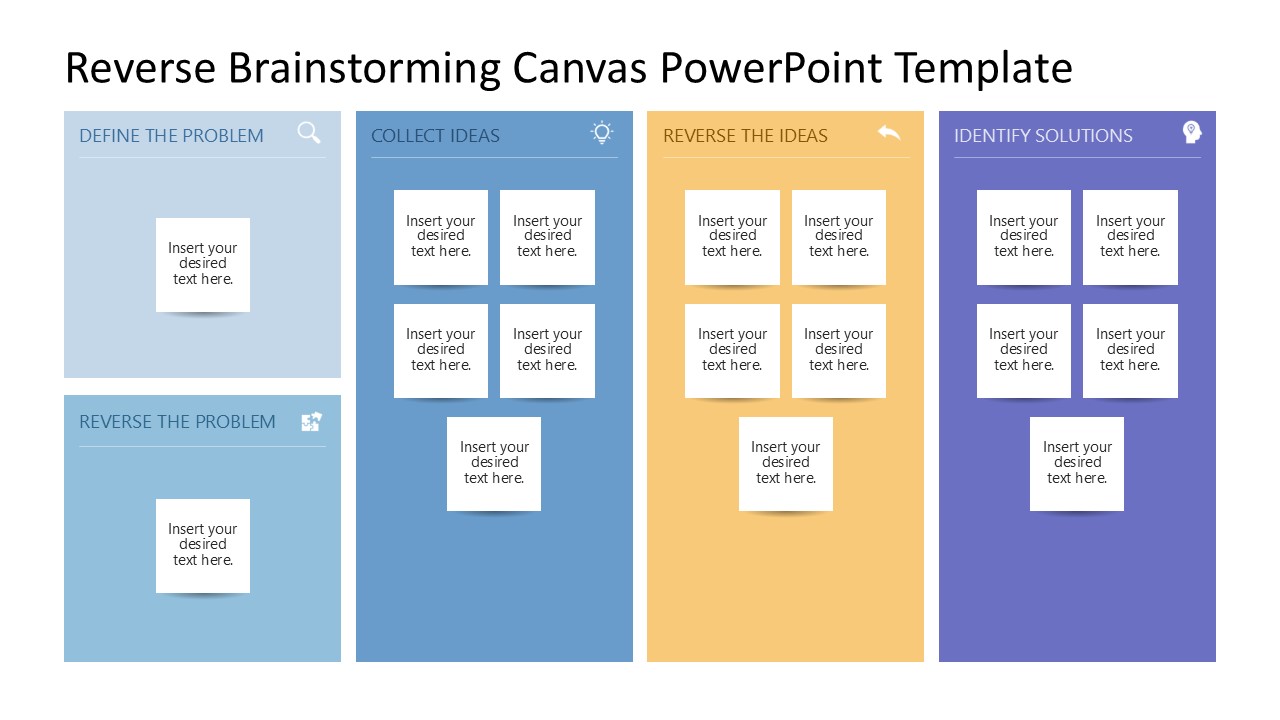
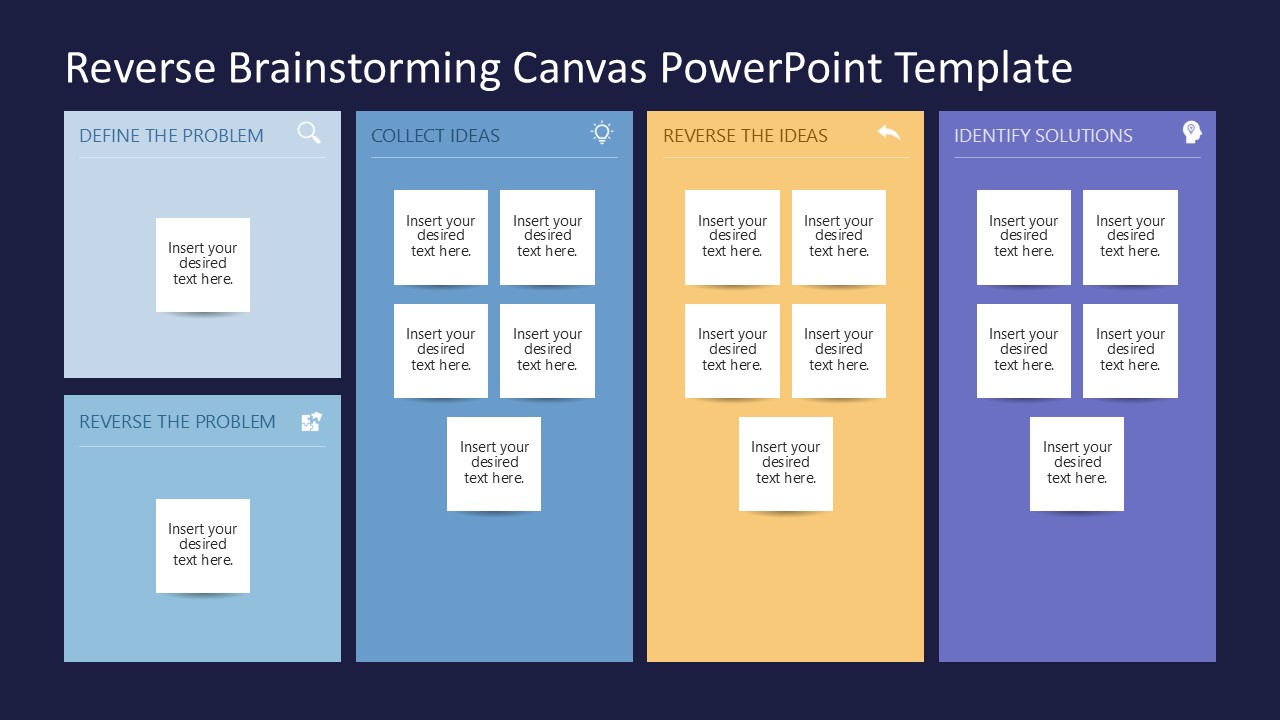
In this Reverse Brainstorming PowerPoint Template, we have provided a dashboard to arrange the elements of reverse brainstorming. It is a board with four vertical sections. The first section has two blocks with sticky notes: one to mention the problem, and the other to write the problem in reverse. The next two major sections are to mention the ideas and reverse ideas, respectively. In these blocks, users can jot down their brainstorming ideas in the provided sticky-note text boxes. Likewise, the last part of the slide lists the identified solutions. So, users can easily organize the major areas of their brainstorming session into clear, easy-to-understand sections. This slide is also provided with an alternate background color. Professionals can pick any slide and use it for their presentation. Both slides can be personalized by adding a company logo or changing the color scheme, and are also customizable with Google Slides. Download and try it today!
You must be logged in to download this file.
DOWNLOAD- Category
- Multi-purpose
- Rating

 Loading...
- Size
- 16x9
- Item ID
- 23533-01
- Colors
Subscribe today and get immediate
access to download our PowerPoint templates.