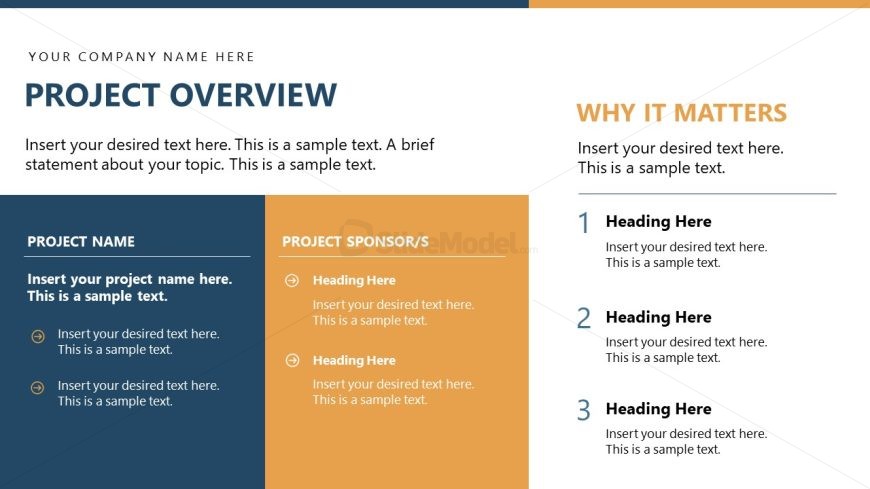
Slide 3 of 15 from Project Presentation PowerPoint Template
Project Overview Presentation Slide with Text Segments
Project Overview Slide for Presentations
- Text Layout
- Other
- Context Slide
- 16:9
- 100% Editable
The Project Overview Layout from the Project Presentation PowerPoint Template offers a clear two-column design ideal for project kickoff and stakeholder updates. This slide template includes editable shapes and text placeholders to detail project names, sponsors, and key significance points, making it a practical choice for corporate presentations and business presentation slide decks.
What’s on This Slide
The layout features a two-column design. The left column contains sections for 'Project Name' and 'Project Sponsor/s', with text placeholders aligned vertically. Each section has bullet points for detailed information. The right column is titled 'Why It Matters' and includes a heading followed by numbered placeholders for three key points. The overall color scheme includes a dark blue header, a light orange background for the left column, and a white background for the right column. Text placeholders are present throughout, with varying alignments.
How to Use It
This layout serves to present an overview of a project, detailing its name, sponsors, and significance. It fits within a presentation sequence after the agenda and before the project scope. This structure is suitable for project kickoff meetings, status updates, or stakeholder briefings, providing a concise summary that highlights essential project details and their importance.
Text Placeholders & Capacity
Keep your copy within these limits so it fits without resizing. Body slots can hold roughly 2-3 sentences each.
| Placeholder | Count | Max characters (approx.) |
|---|---|---|
| Slide title | 1 | 30 |
| Body paragraph | 5 | 150 |
| Item heading | 3 | 20 |
| Item body | 3 | 100 |
Slide Keywords
Download unlimited PowerPoint templates, charts and graphics for your presentations with our annual plan.
DOWNLOADReturn to Project Presentation PowerPoint Template.