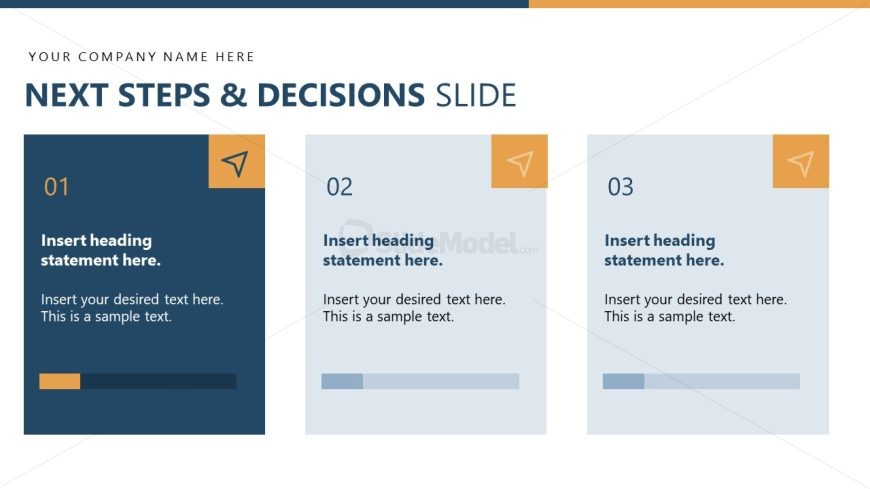
Slide 14 of 15 from Project Presentation PowerPoint Template
Next Steps Discussion – Project Presentation Template for PowerPoint
Next Steps and Decisions Slide
- Text Layout
- List Blocks
- Process Slide
- 16:9
- 100% Editable
The Next Steps and Decisions slide from the Project Presentation PowerPoint Template offers a clear layout to summarize key project actions and decisions. Designed for business presentations, this slide template uses editable shapes and progress bars to visually track task status, making it ideal for project management updates and stakeholder briefings within a corporate presentation or slide deck.
What’s on This Slide
The layout features three rectangular sections aligned horizontally. Each section has a heading area at the top left, marked by a triangular icon. The first section is dark blue, while the second and third sections are light blue. Each section contains a placeholder for a heading statement, followed by a text area for additional details. Below each text area, there is a progress bar. The title 'NEXT STEPS & DECISIONS SLIDE' is centered at the top, with a placeholder for the company name above it. The overall composition is structured and visually balanced.
How to Use It
This layout serves to outline key next steps and decisions in a project context. It is suitable for concluding a presentation, summarizing action items, or clarifying responsibilities. This slide fits well after a project status update or milestone review. It can be used in project management meetings, stakeholder briefings, or team discussions to ensure clarity on future actions and decisions. Each section can represent a different task or decision point, making it easy to convey multiple items succinctly.
Text Placeholders & Capacity
Keep your copy within these limits so it fits without resizing. Body slots can hold about 20-25 words each.
| Placeholder | Count | Max characters (approx.) |
|---|---|---|
| Slide title | 1 | 30 |
| Item heading | 3 | 30 |
| Item body | 3 | 150 |
Slide Keywords
Download unlimited PowerPoint templates, charts and graphics for your presentations with our annual plan.
DOWNLOADReturn to Project Presentation PowerPoint Template.