Slide 9 of 15 from Project Presentation PowerPoint Template
Five Year Timeline & Milestones Diagram Slide
Timeline and Milestones Slide for Project Presentation
- Diagram
- Timeline Horizontal
- Timeline Slide
- 16:9
- 100% Editable
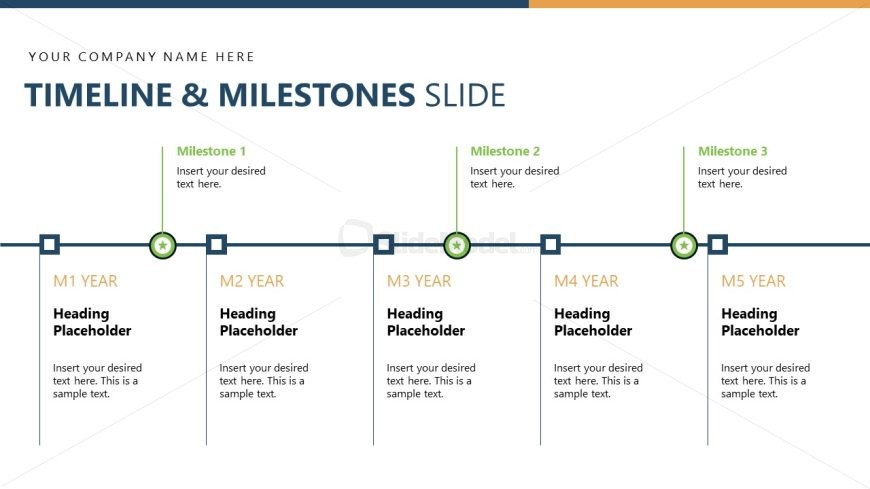
The Timeline and Milestones Slide from the Project Presentation PowerPoint Template offers a clear horizontal timeline layout ideal for tracking project milestones and deadlines. This slide template supports project planning and stakeholder presentations by visually organizing key phases with editable shapes and text placeholders, enhancing communication in business presentations and pitch decks.
What’s on This Slide
The layout features a horizontal timeline with five milestone nodes evenly spaced along a central line. Each milestone is represented by a circular shape, with connecting lines to a horizontal bar. The first two milestones are labeled 'Milestone 1' and 'Milestone 2' with corresponding text placeholders below. The years for each milestone are indicated above, with placeholders for headings and text. The overall color scheme includes a light background with dark text and green accents for milestone labels. There are multiple text placeholders aligned centrally beneath each milestone.
How to Use It
This layout serves as a chronological timeline to present project milestones and their respective years. It fits within a project presentation sequence, typically following an overview or scope definition slide. This structure is useful for project managers to outline key phases and deadlines, making it suitable for status updates or project kickoff meetings. It can effectively communicate progress and future goals to stakeholders, ensuring clarity in project timelines.
Text Placeholders & Capacity
Keep your copy within these limits so it fits without resizing. Body slots can hold around 15-20 words each.
| Placeholder | Count | Max characters (approx.) |
|---|---|---|
| Slide title | 1 | 30 |
| Item heading | 5 | 20 |
| Item body | 5 | 100 |
| Body paragraph | 5 | 100 |
Slide Keywords
Download unlimited PowerPoint templates, charts and graphics for your presentations with our annual plan.
DOWNLOADReturn to Project Presentation PowerPoint Template.