Slide 6 of 12 from Project Introduction PowerPoint Template
Stakeholders & Roles Slide – Project Team Introduction Template
Stakeholders and Roles Overview Slide
- Text Layout
- Other
- Project Overview Slide
- 16:9
- 100% Editable
The Stakeholders and Roles Slide from the Project Introduction PowerPoint Template provides a clear layout to introduce key project participants and their responsibilities. This slide layout is ideal for business presentations, offering editable shapes and placeholders to showcase team roles and social media handles effectively within a corporate presentation or pitch deck template.
What’s on This Slide
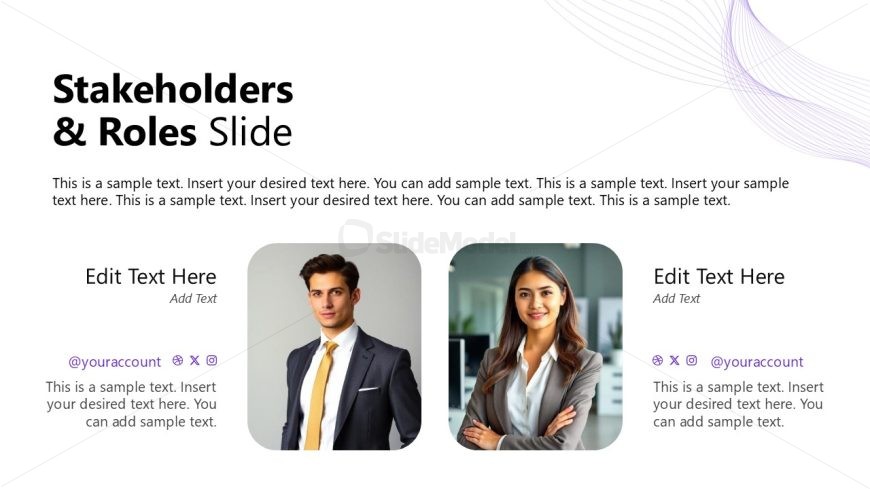
The layout features a large title at the top center, stating 'Stakeholders & Roles Slide.' Below the title, there are two text placeholders aligned horizontally, each containing space for a name, role, and social media handles. The left placeholder is for one individual, and the right is for another, both with accompanying images. The background is light with a subtle gradient and decorative lines in the top right corner. The overall composition is balanced, with a clear visual hierarchy emphasizing the title and individual sections.
How to Use It
This layout serves to present key stakeholders and their roles within a project. It fits within a presentation sequence that introduces project participants and their responsibilities. Suitable for business contexts, it can be used in project proposals, team introductions, or stakeholder meetings. This slide effectively communicates who is involved in the project and their respective contributions, making it ideal for engaging an audience in discussions about project management.
Text Placeholders & Capacity
Keep your copy within these limits so it fits without resizing. Node body slots can hold approximately 25-30 words each.
| Placeholder | Count | Max characters (approx.) |
|---|---|---|
| Slide title | 1 | 50 |
| Item heading | 2 | 30 |
| Item body | 2 | 150 |
| Footer | 2 | 50 |
Slide Keywords
Download unlimited PowerPoint templates, charts and graphics for your presentations with our annual plan.
DOWNLOADReturn to Project Introduction PowerPoint Template.