Slide 9 of 12 from Project Introduction PowerPoint Template
Risk & Assumptions Slide – Project Introduction PPT Slide Template
Risks & Assumptions Presentation Slide
- Text Layout
- Other
- Risk Assessment Slide
- 16:9
- 100% Editable
The Risks & Assumptions Presentation Slide from the Project Introduction PowerPoint Template offers a clear layout for project risk assessment and stakeholder communication. This slide template features editable shapes and progress bars arranged in contrasting sections, ideal for business presentations and project planning discussions. It supports effective visualization of potential challenges and assumptions, enhancing clarity in corporate presentation slide decks.
What’s on This Slide
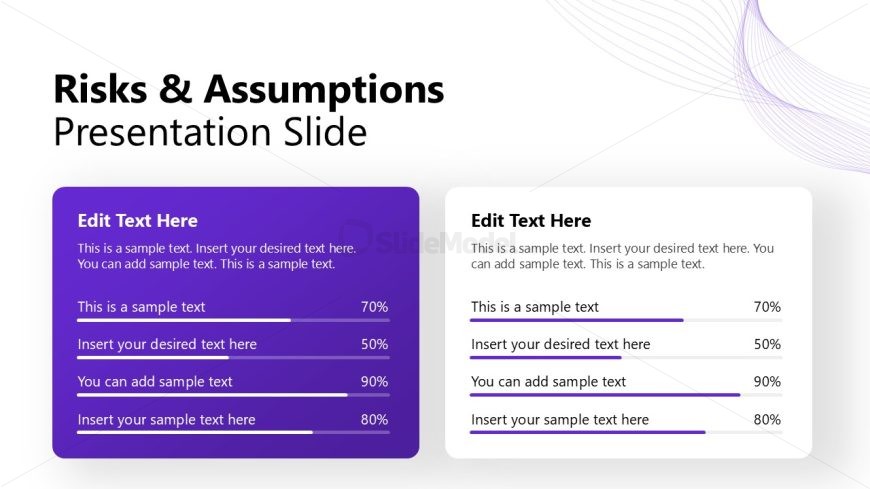
The layout features two vertical sections side by side. The left section has a purple background and contains multiple text placeholders aligned vertically. Each placeholder includes a sample text line followed by a horizontal progress bar indicating percentages. The right section has a white background with similar text placeholders and progress bars. The visual hierarchy emphasizes the left section with a darker color, while the right section remains neutral. The overall composition balances the two sections, allowing for clear content differentiation.
How to Use It
This layout serves to present risks and assumptions in a project context, making it suitable for project management discussions. It fits well in a presentation sequence after outlining project objectives and deliverables. This slide can be used to highlight potential challenges and assumptions that may impact project success, providing a structured way to communicate these elements to stakeholders and team members.
Text Placeholders & Capacity
Keep your copy within these limits so it fits without resizing. Body slots can hold approximately 15-20 words each.
| Placeholder | Count | Max characters (approx.) |
|---|---|---|
| Slide title | 1 | 30 |
| Body paragraph | 4 | 100 |
| Item heading | 4 | 20 |
| Item body | 4 | 100 |
Slide Keywords
Download unlimited PowerPoint templates, charts and graphics for your presentations with our annual plan.
DOWNLOADReturn to Project Introduction PowerPoint Template.