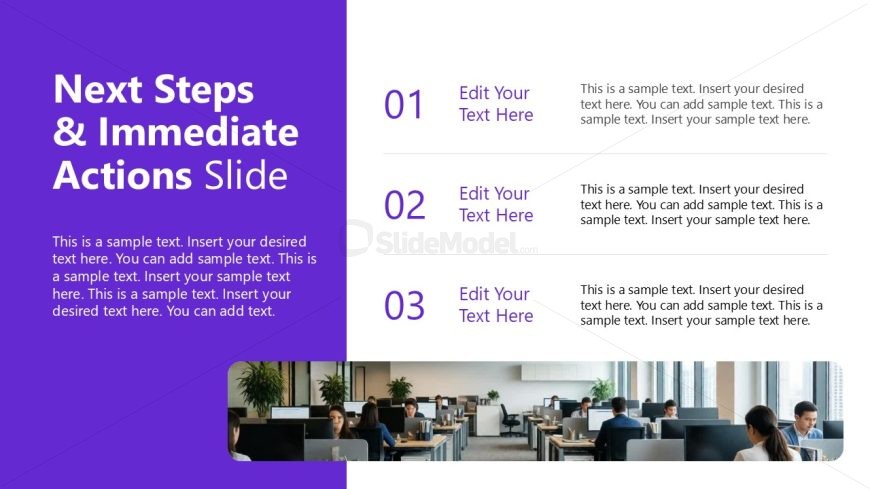
Slide 12 of 12 from Project Introduction PowerPoint Template
Next Steps Slide – Project Introduction PPT Template
Next Steps & Immediate Actions Slide
- Text Layout
- Other
- Process Slide
- 16:9
- 100% Editable
The Next Steps & Immediate Actions slide from the Project Introduction PowerPoint Template offers a clear layout for outlining project action items and team meeting summaries. Designed for business presentations, this slide template supports strategic planning sessions by providing editable slides that emphasize accountability and direction. Its structured format with numbered sections and media placeholders enhances communication in corporate presentations and pitch deck templates.
What’s on This Slide
The layout features a large title at the top left, stating 'Next Steps & Immediate Actions Slide' in bold white text against a purple background. Below the title, there are three numbered sections arranged vertically, each containing a placeholder for a title and body text. The numbers are in a larger font and colored purple. The body text placeholders are aligned to the right of the numbers, allowing for detailed descriptions. A media placeholder is located at the bottom right, showing an office scene. The overall composition is structured for clarity and emphasis on action items.
How to Use It
This layout serves as a concluding slide to summarize next steps in a project presentation. It fits well at the end of a sequence, guiding the audience on immediate actions to take. This slide is useful in business contexts such as project proposals, team meetings, or strategic planning sessions, where clear action items are necessary. It helps reinforce accountability and direction for stakeholders involved in the project.
Text Placeholders & Capacity
Keep your copy within these limits so it fits without resizing. Body slots can accommodate around 25-30 words each.
| Placeholder | Count | Max characters (approx.) |
|---|---|---|
| Slide title | 1 | 40 |
| Item heading | 3 | 20 |
| Item body | 3 | 150 |
Slide Keywords
Download unlimited PowerPoint templates, charts and graphics for your presentations with our annual plan.
DOWNLOADReturn to Project Introduction PowerPoint Template.