Slide 7 of 12 from Project Introduction PowerPoint Template
Milestones Presentation Slide – Project Introduction PPT Template
Milestones Slide for Project Introduction
- Diagram
- Timeline Horizontal
- Project Plan Slide
- 16:9
- 100% Editable
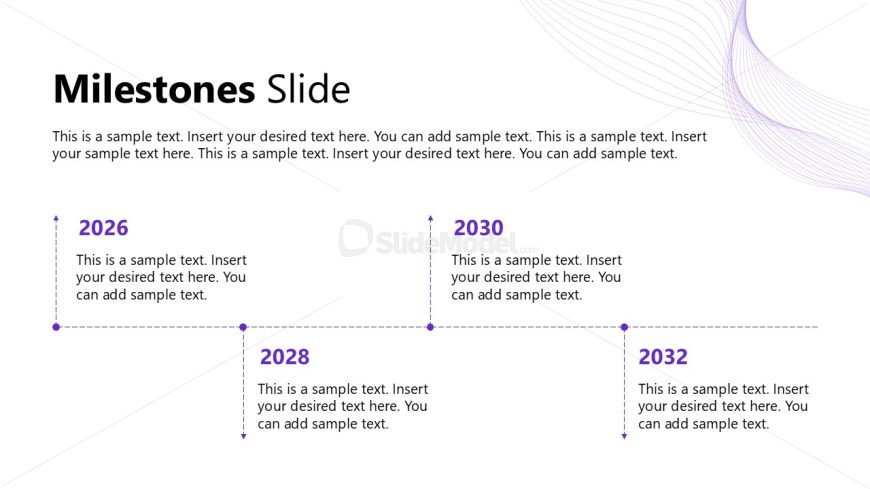
The Milestones Slide from the Project Introduction PowerPoint Template offers a clear timeline layout ideal for project planning updates and milestone tracking. This slide template includes editable shapes and vector icons arranged horizontally to visually represent key project dates, making it suitable for business presentations and slide decks focused on progress tracking.
What’s on This Slide
The layout features a large title at the top left, stating 'Milestones Slide.' Below, there are four milestone markers arranged horizontally. Each marker includes a year label, positioned centrally above a text placeholder for descriptions. The years 2026, 2028, 2030, and 2032 are aligned vertically with connecting dashed lines leading to the text placeholders. The text placeholders are aligned centrally beneath each year marker, allowing for additional descriptions. The background is light with subtle wave patterns, creating a clean and organized visual structure.
How to Use It
This layout serves as a timeline to present key project milestones in chronological order. It fits well in a presentation sequence after introducing project objectives and before discussing methodologies. This slide is suitable for business scenarios where tracking progress over time is essential, such as project planning, development updates, or project proposals. It effectively communicates timelines and expected outcomes to stakeholders.
Text Placeholders & Capacity
Keep your copy within these limits so it fits without resizing. Node body slots can hold roughly 15-20 words each.
| Placeholder | Count | Max characters (approx.) |
|---|---|---|
| Slide title | 1 | 30 |
| Item heading | 4 | 4 |
| Item body | 4 | 100 |
Slide Keywords
Download unlimited PowerPoint templates, charts and graphics for your presentations with our annual plan.
DOWNLOADReturn to Project Introduction PowerPoint Template.