Slide 10 of 12 from Project Introduction PowerPoint Template
Dependencies & Constraints – Project Introduction PPT Template
Dependencies and Constraints Slide for Projects
- Text Layout
- Bullet List
- Context Slide
- 16:9
- 100% Editable
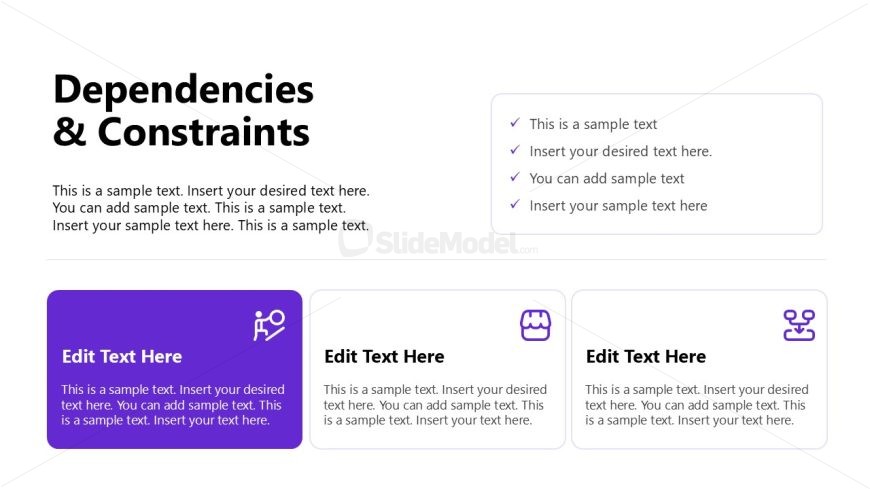
The Dependencies and Constraints slide from the Project Introduction PowerPoint Template offers a structured layout ideal for project planning and stakeholder presentations. This slide template features editable shapes and vector icons to clearly communicate project limitations and dependencies, making it a useful addition to any business presentation or slide deck focused on risk assessment and timeline management.
What’s on This Slide
The layout features a title at the top center labeled 'Dependencies & Constraints.' Below, there is a large text placeholder for descriptive content, aligned left. To the right, a checklist with bullet points is positioned, allowing for additional notes. At the bottom, three rectangular boxes are arranged horizontally, each containing an icon and a text placeholder. The left box has a purple background, while the others are white. Each box includes a label 'Edit Text Here' and a smaller text area for further details. The overall composition emphasizes clarity and organization.
How to Use It
This layout serves to outline project dependencies and constraints, fitting well in a project management presentation. It can be used to detail factors affecting project timelines and deliverables. This slide is effective for communicating essential information to stakeholders, ensuring everyone understands project limitations. It is best placed after discussing project scope and before addressing communication strategies, providing a clear transition in the presentation flow.
Text Placeholders & Capacity
Keep your copy within these limits so it fits without resizing. Body slots can hold roughly 30-40 words each.
| Placeholder | Count | Max characters (approx.) |
|---|---|---|
| Slide title | 1 | 30 |
| Body paragraph | 1 | 200 |
| Item heading | 3 | 20 |
| Item body | 3 | 200 |
Slide Keywords
Download unlimited PowerPoint templates, charts and graphics for your presentations with our annual plan.
DOWNLOADReturn to Project Introduction PowerPoint Template.