Slide 13 of 16 from Professional Annual Report PowerPoint Template
Revenue & Cost Structure Slide – Annual Report PPT Template
Revenue and Cost Structure Slide Overview
- Table
- Data Table
- Financial Summary Slide
- 16:9
- 100% Editable
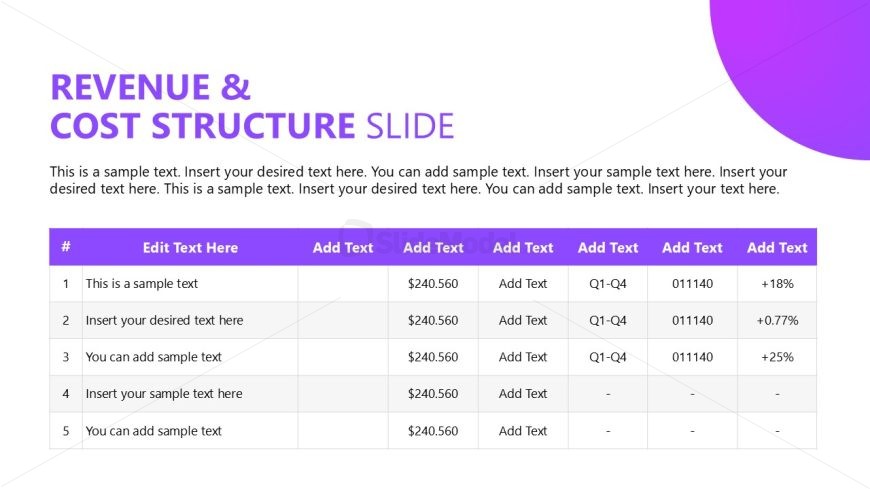
The Revenue and Cost Structure Table slide from the Professional Annual Report PowerPoint Template offers a clear format for presenting financial data within business presentations. This slide template features editable shapes and a structured table layout ideal for summarizing revenue streams and cost allocations, supporting detailed budget discussions and annual report reviews. It integrates seamlessly into corporate presentations and pitch deck templates requiring precise financial summaries.
What’s on This Slide
The layout features a table positioned centrally, with a header section at the top. The header includes two distinct rows: the first row displays the title 'REVENUE & COST STRUCTURE SLIDE' in bold text, while the second row contains a sample text placeholder. Below the header, a structured table contains five rows and five columns. The first column is labeled '#', followed by 'Edit Text Here', 'Add Text', and additional columns for financial data. Each cell has a placeholder for text, with a consistent alignment. The background is a light color, providing contrast with the purple header.
How to Use It
This layout serves as a data presentation tool, ideal for showcasing financial metrics in a structured format. It fits well in a business report sequence, especially after sections discussing financial highlights or key performance indicators. This slide is useful for presenting revenue streams, cost structures, or budget allocations. It can be employed in meetings to discuss financial performance or during annual reviews to summarize fiscal data.
Text Placeholders & Capacity
Keep your copy within these limits so it fits without resizing. Cell slots can accommodate roughly 30 characters each.
| Placeholder | Count | Max characters (approx.) |
|---|---|---|
| Cell | 25 | 30 |
| Chart title | 1 | 40 |
| Body paragraph | 1 | 200 |
Slide Keywords
Download unlimited PowerPoint templates, charts and graphics for your presentations with our annual plan.
DOWNLOAD