Slide 2 of 11 from Pixel Perspective PowerPoint Template
Key Information Overview for Pixel Perspective
Text Layout with Checkmarks for Presentations
- Text Layout
- List Blocks
- Agenda Slide
- 16:9
- 100% Editable
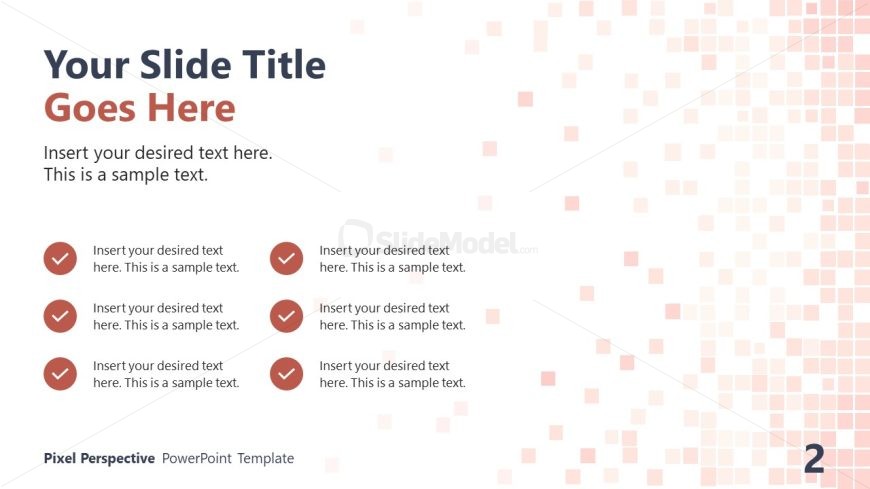
The Text Layout with Checkmarks slide from the Pixel Perspective PowerPoint Template offers a clean agenda format ideal for project overviews and status updates. This slide design includes editable shapes and vector icons, making it suitable for business presentations and corporate slide decks that require clear task checklists and organized content flow.
What’s on This Slide
The layout features a large title placeholder at the top center, with a subtitle placeholder directly below it. Below the title, there are four rows of text placeholders, each containing a checkmark icon to the left of the text. The checkmarks are circular and filled, indicating completion. The background consists of a gradient of light colors with small square patterns, creating a subtle texture. The overall composition is clean, with a clear visual hierarchy emphasizing the title and checkmarks.
How to Use It
This layout serves as a checklist or agenda slide, suitable for summarizing key points or tasks. It fits well in a presentation sequence following an introduction or problem statement, leading into detailed discussions. This structure is useful in business contexts, such as project overviews, status updates, or meeting agendas, where clarity and organization are essential for effective communication.
Text Placeholders & Capacity
Keep your copy within these limits so it fits without resizing. Node slots can accommodate roughly 6-8 words each.
| Placeholder | Count | Max characters (approx.) |
|---|---|---|
| Slide title | 1 | 40 |
| Subtitle | 1 | 80 |
| Item body | 4 | 40 |
Slide Keywords
Download unlimited PowerPoint templates, charts and graphics for your presentations with our annual plan.
DOWNLOADReturn to Pixel Perspective PowerPoint Template.