Our Mission Flat Slide Design for PowerPoint is a creative business PowerPoint template with flat slide designs for Microsoft Office that you can use to present the company mission in a PowerPoint presentation. You can easily edit the slides and enter your own company mission statement or customize the slides with your own graphic elements. Each of the PowerPoint Clipart are created using PowerPoint objects, allowing the user to fully customize their appearance.
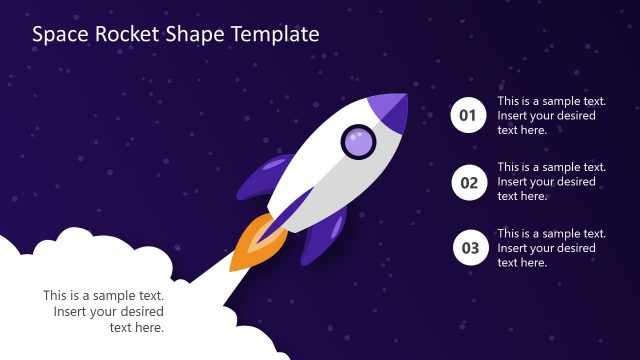
Mission statements need to transmit the organizations purpose, and is one of the most powerful communication tools for corporate culture . The Rocket PowerPoint Shape is illustrative of the Launching concept as well as the growth concept. This metaphor is very popular in business and appeals to global audiences.
Alternatively you can download other mission statement PowerPoint templates or Our Vision PowerPoint template with flat styles.
What’s inside this template
Example presentation scenarios
- A founder can use the rocket mission statement slide to explain the organization's purpose at the start of an investor or partner overview.
- An HR leader can use the mission word cloud to connect a mission statement to values such as team, respect, people, success, and leadership during onboarding.
- A communications manager can use the pointing-hand emphasis layout to highlight two key proof points that make the mission specific and memorable.
- An executive presenter can use the diagonal rocket layout to frame a new strategy launch as a continuation of the company's mission.
Features
- 100% editable presentation template
- Compatible with Microsoft PowerPoint and Google Slides
- 16:9 aspect ratio slides
- Scalable vector shapes, icons and illustrations
- AI-Ready for Microsoft Copilot and Claude
- Instant access and download
Frequently asked questions
Q: How should a presenter keep the mission statement from sounding generic?
A: Place the mission in the main statement area and use the smaller text fields for concrete behavior: who the organization serves, what change it creates, and how teams act on it. The rocket slide works best when the headline is short and the supporting line turns the mission into an observable action.
Q: Who is this template best suited for in a business presentation?
A: This template fits leaders, founders, HR teams, and communications managers who need a concise mission moment rather than a full strategy deck. It works well for onboarding, town halls, company overview meetings, or culture refresh sessions where the presenter wants employees or partners to remember one clear organizational purpose.
Q: Why use rocket and pointing-hand metaphors for a mission message?
A: The rocket metaphor turns mission into forward movement, which helps audiences connect purpose with launch, growth, and direction. The pointing-hand layout adds visual focus for key statements or audience takeaways. The word cloud then broadens the message by surrounding the central mission with related values and culture cues.


Our Mission Flat Slide Design for PowerPoint
4-slide mission statement presentation template with rocket launch graphics and a mission word cloud
This 4-slide mission statement presentation template uses flat rocket and launch imagery to introduce organizational purpose. It includes two rocket mission statement layouts, a pointing-hand emphasis layout, and a mission word cloud. Business teams can edit the text and vector PowerPoint shapes for use in Microsoft PowerPoint and Google Slides.
- Category
- Business PowerPoint Templates
- Rating


 Loading...
- Aspect ratio
- 16:9
- Item ID
- 6865-03
- Colors
 Microsoft PowerPoint
 Microsoft Copilot
 Claude for PowerPoint
Other formats supported
Subscribe today and get immediate
access to download our PowerPoint templates.