Organizational Goals & Vision PowerPoint Template
What’s inside this template
Example presentation scenarios
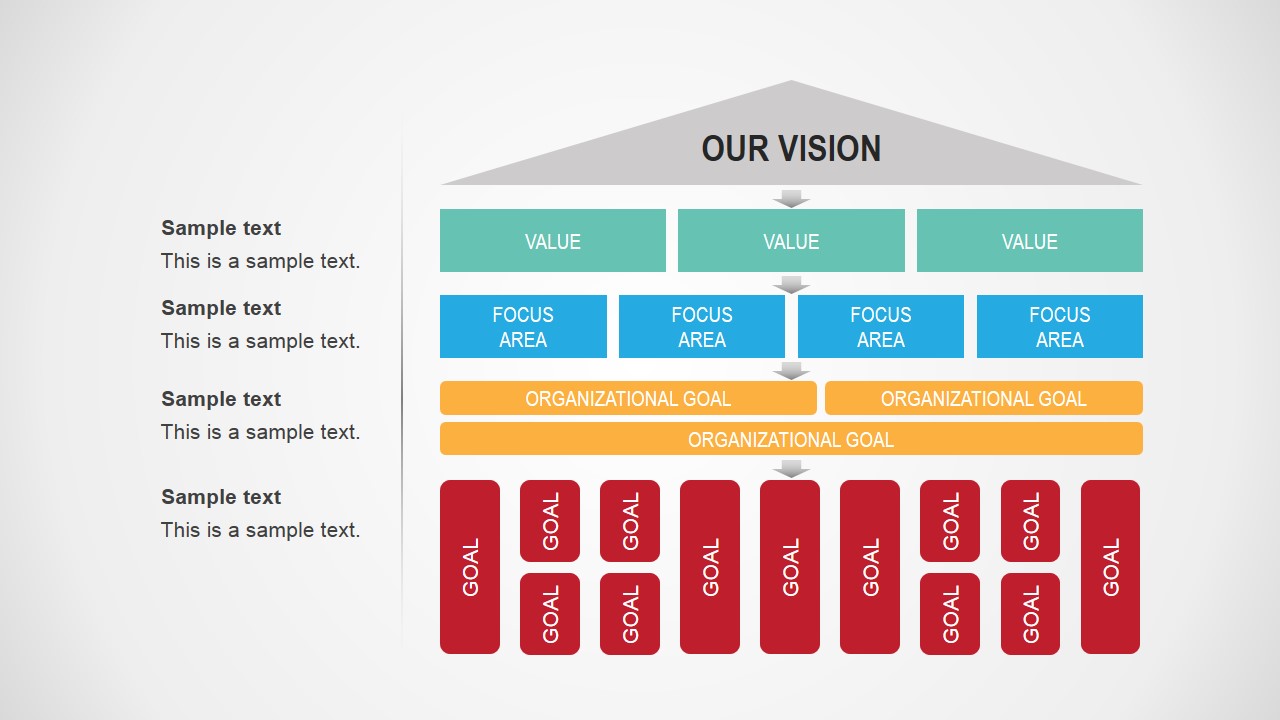
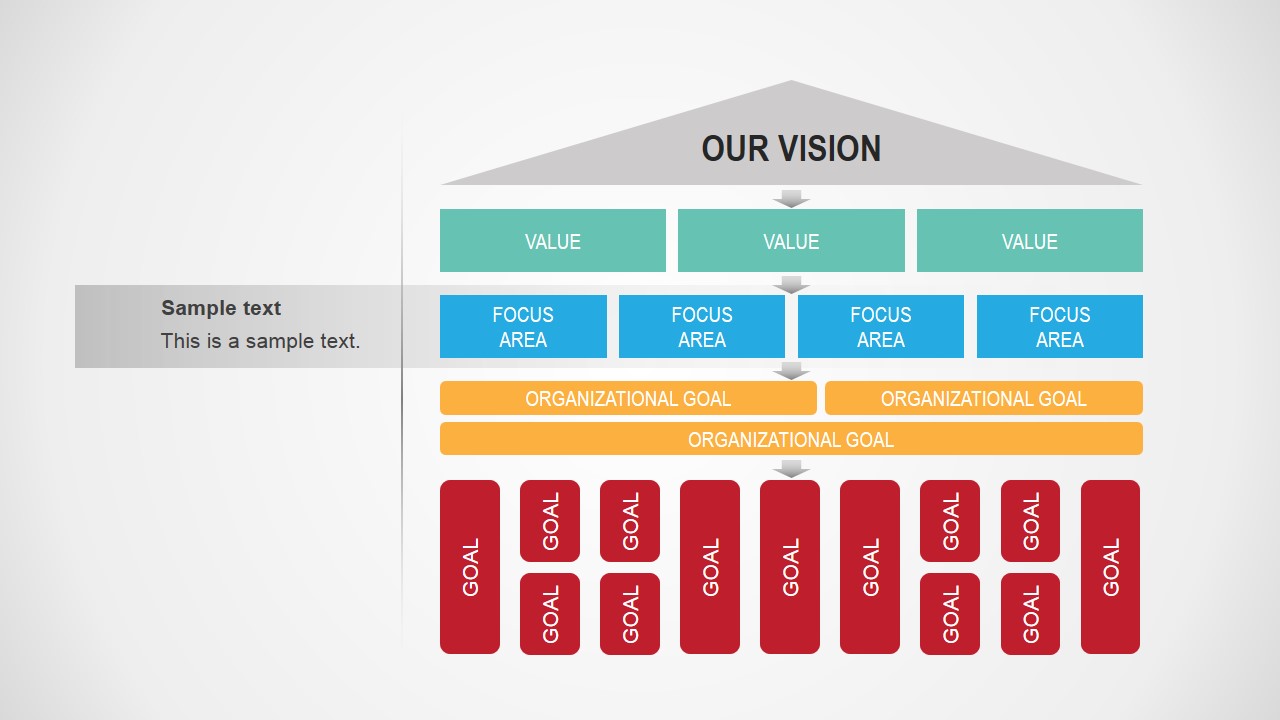
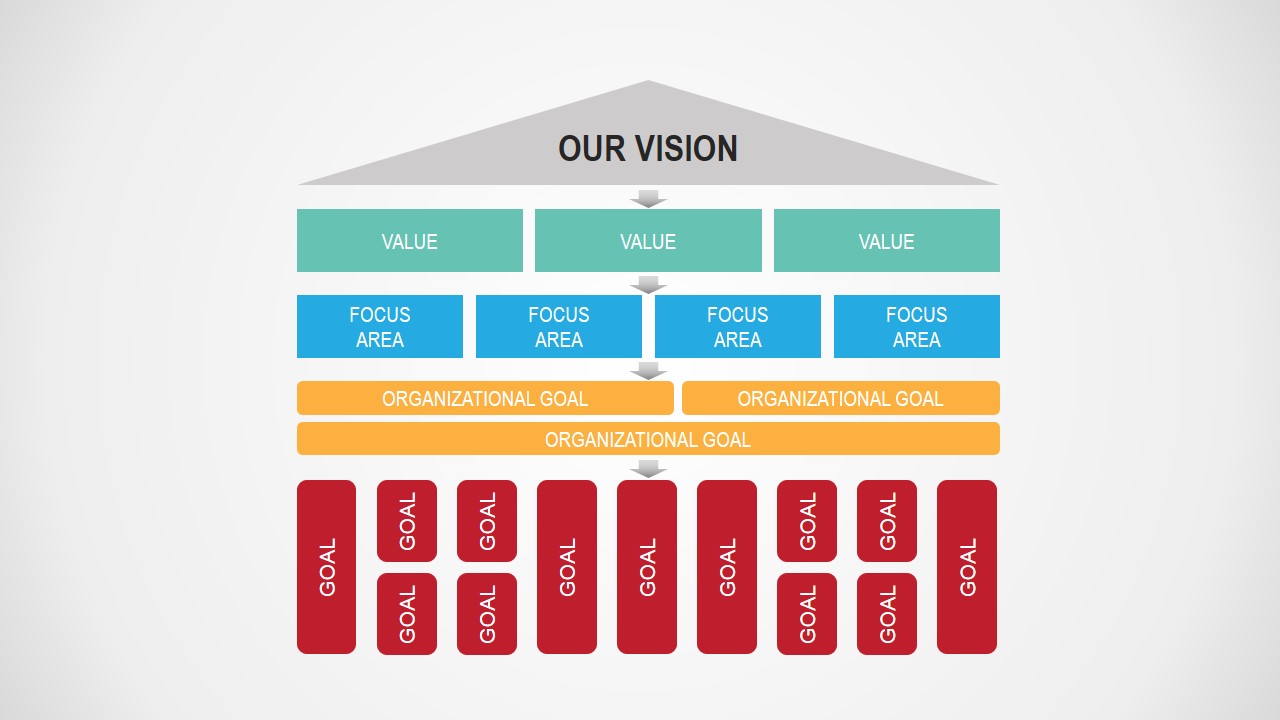
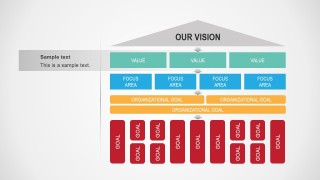
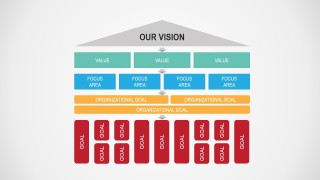
- An executive leader can use the standalone hierarchy diagram to explain how the company vision breaks down into values, focus areas, organizational goals, and individual goals.
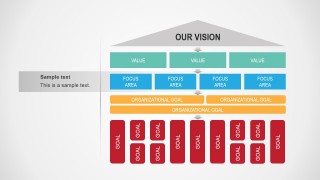
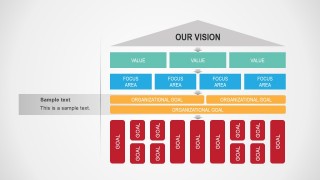
- An HR manager can use the callout versions to guide a goal-setting workshop and connect performance objectives to the red individual goal blocks.
- A strategy consultant can use the diagram to show a client how strategic focus areas support broader organizational goal bars and downstream team goals.
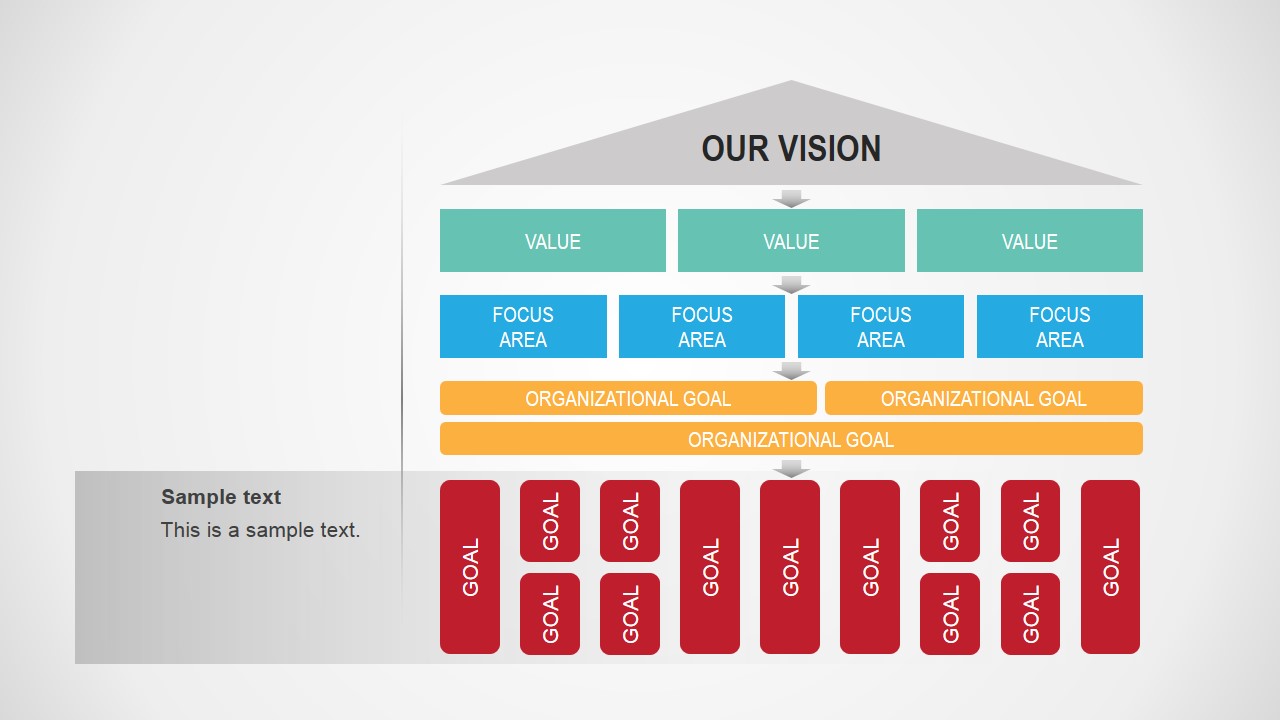
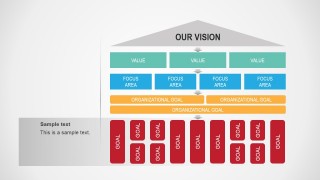
- A department head can present the slide with the lower callout to discuss execution responsibilities while keeping the vision and values visible above.
Features
- 100% editable presentation template
- Compatible with Microsoft PowerPoint and Google Slides
- 16:9 aspect ratio slides
- Scalable vector shapes, icons and illustrations
- AI-Ready for Microsoft Copilot and Claude
- Instant access and download
Frequently asked questions
Q: How should a presenter explain the hierarchy without overwhelming the audience?
A: Start at the gray vision roof, then move downward one layer at a time: values, focus areas, organizational goals, and individual goals. Use the callout slides to pause at the layer that needs discussion. This prevents the diagram from becoming a static chart and turns it into a guided explanation of strategic alignment.
Q: Who is this template best suited for in a planning conversation?
A: It fits leaders, HR teams, and strategy facilitators who need to connect high-level direction with practical execution. The layout is strongest when the audience must understand why individual goals matter, not just what the goals are. It works well for annual planning, goal cascades, and organizational development discussions.
Q: Why does the design use a top-down cascade from vision to goals?
A: The cascade makes the strategy logic visible. A roof-like vision shape implies shared direction, while stacked rows show how priorities narrow into action. The red goal blocks at the bottom create a clear execution layer, helping audiences see that individual work should trace back to focus areas and organizational goals.


Organizational Goals & Vision PowerPoint Template
6-slide presentation template for vision alignment, values, focus areas, and cascading organizational goals
This 6-slide business presentation template maps vision into values, focus areas, organizational goals, and individual goals using a cascading goal-alignment diagram. It includes versions with sidebar callouts and a standalone diagram for leaders, HR teams, and strategy facilitators working in Microsoft PowerPoint or Google Slides.
- Category
- Business PowerPoint Templates
- Rating


 Loading...
- Aspect ratio
- 16:9, 4:3
- Item ID
- 6990-01
- Colors
 Microsoft PowerPoint
  Microsoft Copilot
  Claude for PowerPoint
 Other formats supported
Subscribe today and get immediate
access to download our PowerPoint templates.