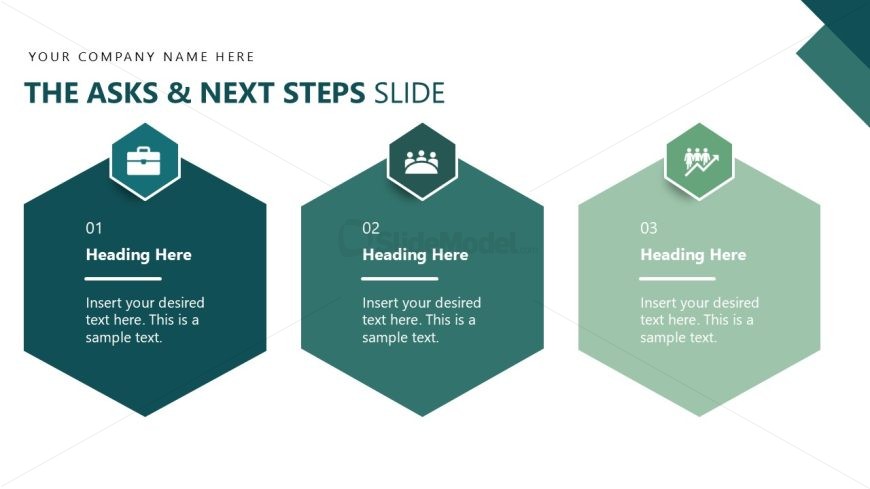
Slide 13 of 14 from Operational Excellence PowerPoint Template
The Asks & Next Steps Infographics Slide – Operational Excellence Template
Asks and Next Steps Presentation Slide
- Diagram
- Matrix Quadrant
- Process Slide
- 16:9
- 100% Editable
The Asks and Next Steps Slide from the Operational Excellence PowerPoint Template offers a clear, structured layout ideal for project proposals and strategic planning. Featuring editable shapes arranged in a matrix quadrant style, this slide supports concise communication of key actions and follow-ups. It integrates well within business presentations and pitch deck templates, enhancing clarity with vector icons and a professional green gradient design.
What’s on This Slide
The layout features three hexagonal shapes arranged horizontally across the center. Each hexagon contains a number at the top, a heading placeholder, and a body text placeholder below. The first hexagon is teal with a briefcase icon, the second is a lighter green with a group icon, and the third is also light green with an upward arrow icon. The slide title is positioned at the top in bold text. There are placeholders for company name and slide title, aligned centrally. The overall color scheme is a gradient of greens.
How to Use It
This layout serves as a call-to-action or summary slide, outlining key asks and next steps for the audience. It fits well in a presentation sequence after discussing objectives or findings, guiding the audience toward actionable outcomes. This structure is useful in business contexts such as project proposals, strategic planning sessions, or team briefings where clear next steps are necessary for moving forward.
Text Placeholders & Capacity
Keep your copy within these limits so it fits without resizing. Body slots can accommodate roughly 15-20 words each.
| Placeholder | Count | Max characters (approx.) |
|---|---|---|
| Slide title | 1 | 30 |
| Item heading | 3 | 20 |
| Item body | 3 | 100 |
Slide Keywords
Download unlimited PowerPoint templates, charts and graphics for your presentations with our annual plan.
DOWNLOADReturn to Operational Excellence PowerPoint Template.