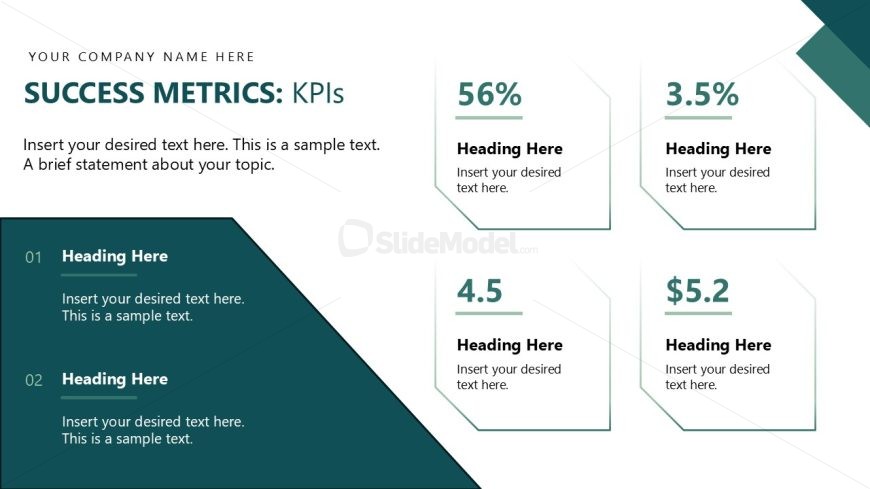
Slide 11 of 14 from Operational Excellence PowerPoint Template
Editable Success Metrics Slide – Operational Excellence Business Presentation
KPI Metrics Overview Slide
- Text Layout
- Other
- Evaluation Slide
- 16:9
- 100% Editable
The KPI Metrics Overview slide from the Operational Excellence PowerPoint Template offers a structured layout ideal for presenting key performance indicators during business presentations. This slide template features editable shapes and clear text placeholders, making it suitable for performance reviews and project updates. Its design supports effective communication of metrics in corporate presentations and pitch decks, enhancing clarity in slide decks focused on operational excellence.
What’s on This Slide
The layout features a top section with a title and subtitle aligned left, followed by a central text placeholder for a brief statement. Below, there are two columns with two hexagonal-shaped containers on the right, each containing a percentage or value. Each container has a heading placeholder above the metric, and the left column features two numbered sections, each with a heading and text placeholder. The overall composition is clean, with a light background and a dark teal accent color for the containers, creating a clear visual hierarchy.
How to Use It
This layout serves to present key performance indicators in a structured format. It fits well in a presentation sequence after discussing objectives or strategies, providing a clear overview of metrics. This slide is useful for business reviews, performance assessments, or project updates, where concise data representation is necessary. It can be utilized to highlight achievements or areas needing improvement, making it suitable for operational excellence discussions.
Text Placeholders & Capacity
Keep your copy within these limits so it fits without resizing. Node body slots can hold about 10 words each.
| Placeholder | Count | Max characters (approx.) |
|---|---|---|
| Slide title | 1 | 30 |
| Subtitle | 1 | 60 |
| Item heading | 4 | 20 |
| Item body | 4 | 50 |
Slide Keywords
Download unlimited PowerPoint templates, charts and graphics for your presentations with our annual plan.
DOWNLOADReturn to Operational Excellence PowerPoint Template.