Slide 8 of 14 from Operational Excellence PowerPoint Template
Digital Transformation & Tools Slide with Hexagon Diagram
Digital Transformation & Tools Slide
- Diagram
- Other
- Process Slide
- 16:9
- 100% Editable
The Digital Transformation Tools Overview slide from the Operational Excellence PowerPoint Template visually organizes key technology tools using editable shapes and vector icons. This slide layout supports clear presentation of methodologies and project resources, making it suitable for corporate presentations and business presentation slide decks focused on technology adoption and strategy.
What’s on This Slide
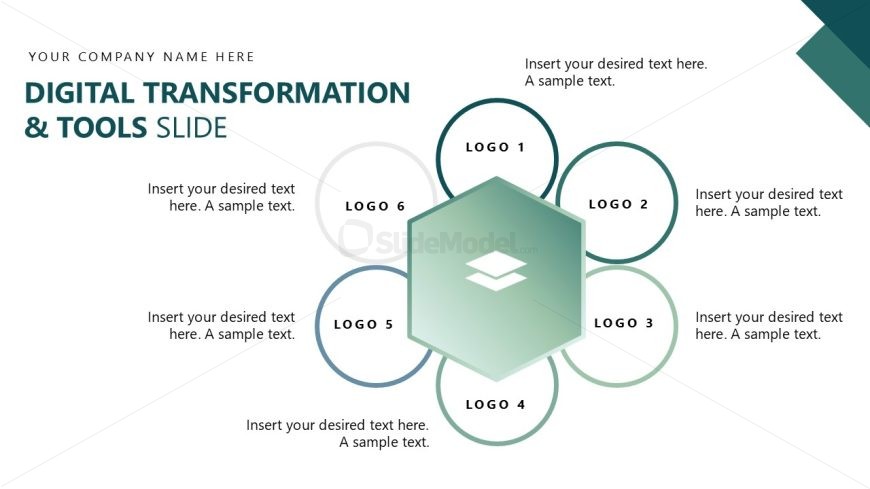
The layout features a central hexagon surrounded by six circular logos. The hexagon is positioned in the center, with the logos arranged in a circular pattern around it. Each logo has a text placeholder beneath it, aligned centrally, indicating where additional text can be added. The background is predominantly white with a gradient in the hexagon, creating a visual hierarchy. The title is placed at the top left, with a placeholder for the company name above it. The overall composition is balanced, emphasizing the central hexagon and surrounding logos.
How to Use It
This layout serves as a visual representation of digital transformation tools, suitable for showcasing various technologies or methodologies. It fits well in a presentation sequence after discussing the current state or challenges. This slide can be used in business contexts such as technology adoption discussions, project planning, or strategy meetings where multiple tools need to be highlighted. It allows for clear communication of key resources or solutions in a structured manner.
Text Placeholders & Capacity
Keep your copy within these limits so it fits without resizing. Node body slots can hold roughly 10 words each.
| Placeholder | Count | Max characters (approx.) |
|---|---|---|
| Slide title | 1 | 40 |
| Item body | 6 | 50 |
| Footer | 1 | 40 |
Slide Keywords
Download unlimited PowerPoint templates, charts and graphics for your presentations with our annual plan.
DOWNLOADReturn to Operational Excellence PowerPoint Template.