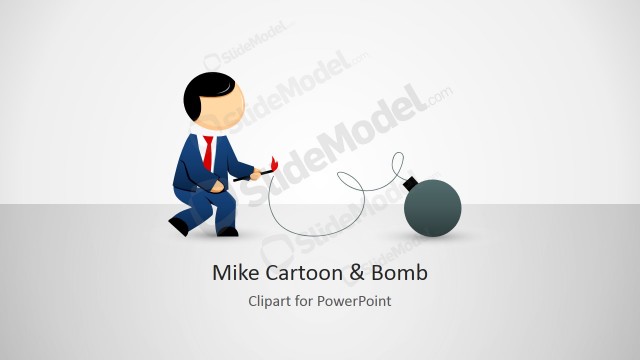
Mike Clipart Ready to Detonate TNT– TNT is an explosive with a flammable compound C7H5N3O6 popularly known as Trinitrotoluene. It is used as an internet slang for bombs or dynamites. The cartoon, Mike, metaphors a threat or warning to the audience. The picture can surely highlight on the concept. It is an efficient visual aid that minimizes the use of textual contents. This makes the template interesting and easy to understand.
The PowerPoint shape is perfect in symbolizing danger. This can be used in business presentations and organizational ones. It is ideal from personal to professional reports that feature on threats and warnings. SWOT Analysis presentations for example can make use of the clipart to emphasize the Threat components. It can be used as a dashboard for the speaker when tackling the don’ts of an activity or program.
Mike is a cartoon character that portrays the role of a formal sectoral entity. Mike can be a businessman or a leader, judging by the clothes he wears. The TNT represents something that can disrupt the current state of a company, or anything that is stable in particular. Symbolically, an explosion will shake things up, creating a commotion. The decision is in the hands of Mike. Thus, an entity has a choice whether to let the threats happen or not.
He is in a blue suit and red tie. He is positioned on top of a TNT, holding its clippers. The gesture shows that Mike is acting on detonating the bomb. In the first slide, the PowerPoint clipart is placed in the middle of the slide. Below it is the title placeholder. The second slide allows a brief description from the presenter. The third and last slide features custom icons with corresponding functions – Resize, Customize, Change effects, Copy & Paste, Ungroup shapes, and Customize clipart.
Produce high end warning reports with Mike Clipart Ready to Detonate TNT. Mike Male Cartoon & Bomb Shapes can be downloaded from the SlideModel gallery.
What’s inside this template
Example presentation scenarios
- A risk manager can use the cover slide and TNT clipart to open a threat section and signal that the next topic requires executive attention.
- A project manager can place the Mike/TNT illustration beside a two-column explanation slide to describe a critical blocker, deadline risk, or escalation point.
- A safety or compliance trainer can use the icon callout slides to introduce warning rules, prohibited actions, or high-risk behaviors in a memorable way.
- A business analyst can copy the clipart into a SWOT presentation to make the Threats section more visible without adding long paragraphs.
Features
- 100% editable presentation template
- Compatible with Microsoft PowerPoint and Google Slides
- 16:9 aspect ratio slides
- Scalable vector shapes, icons and illustrations
- AI-Ready for Microsoft Copilot and Claude
- Instant access and download
Frequently asked questions
Q: How should a presenter use the TNT clipart without making the message feel sensational?
A: Use the detonation image as a signal for one clear risk, not as decoration on every slide. Start with the cover or title-and-description slide to name the threat, then explain the cause, impact, and decision required. Keep text brief so the visual metaphor does the attention work while the presenter supplies the judgment.
Q: Who is this template best suited for in a business presentation?
A: This template fits presenters who need a fast visual cue for danger, urgency, or disruption. Risk managers, project leads, compliance trainers, and operations managers can use the Mike/TNT clipart to introduce a warning, escalate a blocker, or mark the Threats portion of a SWOT discussion.
Q: Why does the detonator metaphor work for warning communication?
A: The character holding the detonator creates a simple choice-and-consequence story: action or inaction can trigger impact. The red TNT block gives the threat immediate visibility, while the surrounding white space and blue icon callouts keep the slide organized. This contrast helps the audience recognize urgency before reading the supporting text.








Mike Clipart Ready to Detonate TNT
4-slide presentation template with TNT warning clipart, icon callouts, and risk metaphor layouts
Mike Clipart Ready to Detonate TNT is a 4-slide presentation template built around a businessman clipart standing over a red TNT detonator. It includes a cover slide, two-column description slide, feature callout slide, and clipart customization instruction slide for warning, threat, risk, or demolition metaphors in Microsoft PowerPoint and Google Slides.
- Rating


 Loading...
- Aspect ratio
- 16:9
- Item ID
- 8134-01
- Colors
 Microsoft PowerPoint
  Microsoft Copilot
  Claude for PowerPoint
 Other formats supported
Subscribe today and get immediate
access to download our PowerPoint templates.